PAN-OS 업그레이드 후 HA 정보에서 앱/위협/안티바이러스 버전을 알 수 없음
9206
Created On 12/07/23 05:42 AM - Last Modified 01/07/25 14:08 PM
Symptom
HA 셋업 에서 방화벽에 대한 PAN-OS 업그레이드 후, HA 정보 위젯에서 앱/위협/안티바이러스 버전 정보가 알 수 없음으로 표시됩니다.
Environment
- 다음세대
- 팬-오스
- HA 구성되고 활성화되었습니다.
- HA1 링크에 대한 암호화가 활성화되었습니다.
Cause
이 문제는 PAN-OS 업그레이드 후 HA1 링크의 트래픽이 적절하게 암호화 및 복호화되지 않아 발생합니다.
Resolution
Please follow the below Steps to export and import the RSA key for HA key:
1. Export key on PA1:
GUI에서:
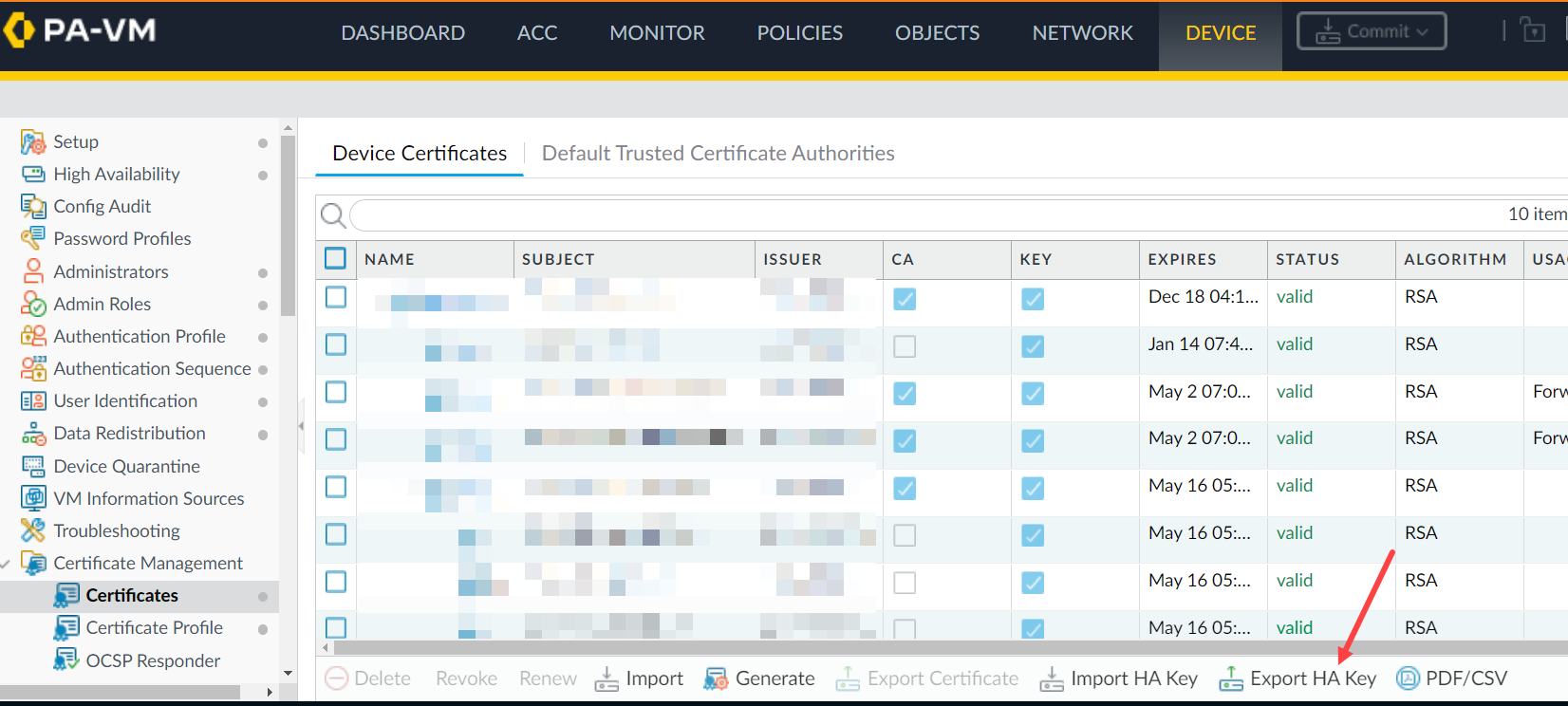
CLI 에서:
CLI 에서:
> scp export high-availability-key from HA-key-XXXXXX to user@server_ip:/directory
GUI에서:
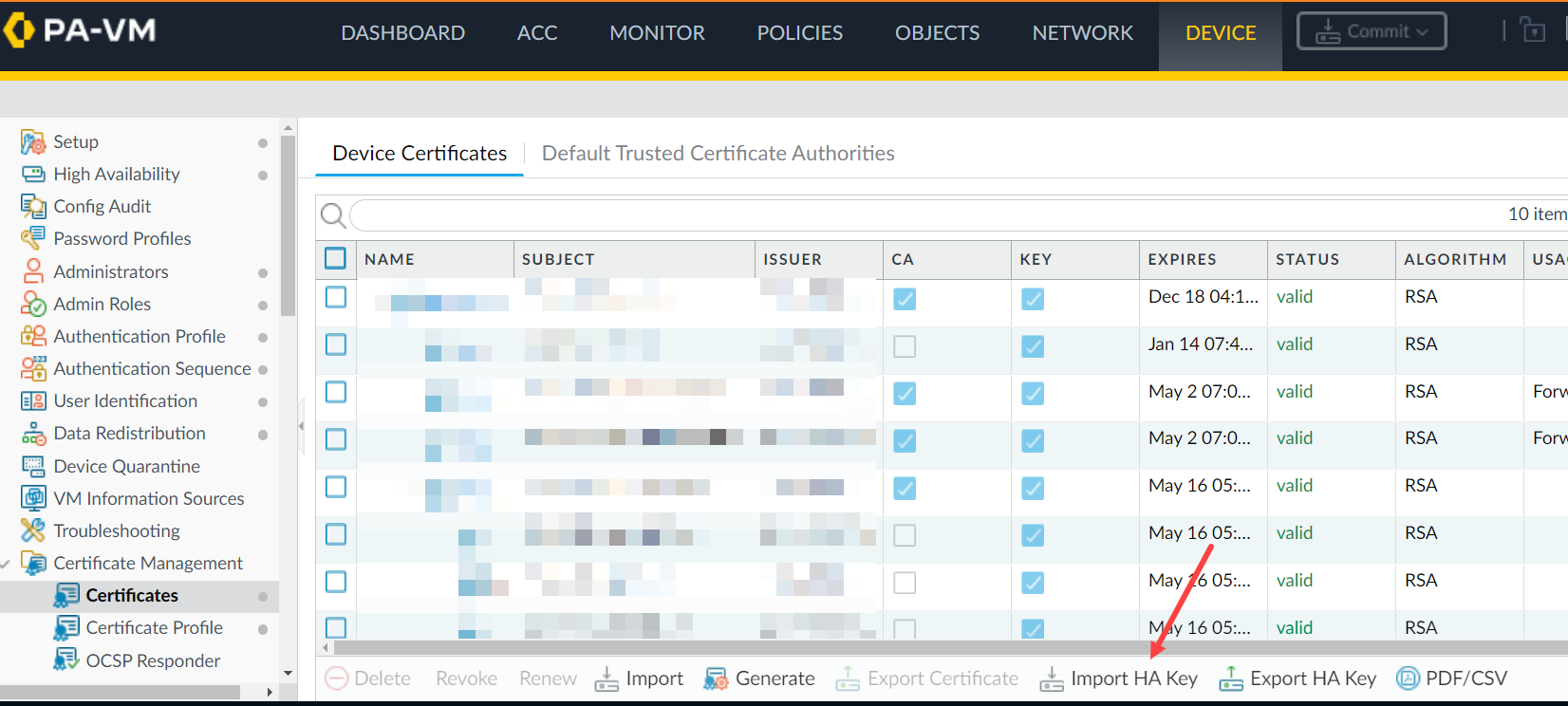
> scp import high-availability-key from user@server_ip:/directory/HA-key-XXXXXX
3. Repeat step 1 and 2 as above to export the HA key from PA2 and import it into PA1.
4. Enable the encryption and perform a commit on both devices.
5. HA 노드 간 RSA 키 교환을 마무리하려면 각 노드에서 CLI 액세스하고 피어에 SSH 실행합니다. RSA 토큰을 설치하라는 메시지가 표시되면 yes를 입력합니다.
For example: 1.1.1.1 < HA Peer MGT Interface IP address.
admin@PA-3050> ssh host 1.1.1.1

The authenticity of host '1.1.1.1 (1.1.1.1)' can't be established.

DSA key fingerprint is e9:de:76:fb:db:95:98:7d:c8:45:c4:83:dc:35:f1:2b.

Are you sure you want to continue connecting (yes/no)? yes   <==========

Warning: Permanently added '1.1.1.1' (DSA) to the list of known hosts.

admin@1.1.1.1's password:
Additional Information
If you have issues with the key or simply want to renew them, use the following CLI command.
Note: Please be aware that this command will cause the firewall to reboot automatically.
> debug system ssh-key-reset high-availability

Executing this command will reset the high-availability SSH keys and reboot the system. Do you want to continue? (y or n)

Broadcast message from root (Fri Mar 29 10:10:28 2013):

The system is going down for reboot NOW!
After running the command, it will be necessary to Resync the keys between the two devices by using the SCP export/import commands or through the GUI as previously explained once the device is rebooted.
To avoid the situation of split brain while enabling HA1 encryption on the firewall, please make sure the passive firewall is suspended.
In this way, enabling HA1 encryption and doing a commit on both firewalls won't result in split brain situation and HA1 encryption option is enabled on both HA pair of firewalls.
Reference KB - 고가용성 구성에서 HA1에서 암호화를 활성화하는 방법