PAN-OS アップグレード後、 HA情報でアプリ/脅威/ウイルス対策のバージョンが不明になる
9194
Created On 12/07/23 05:42 AM - Last Modified 01/07/25 14:06 PM
Symptom
HAセットアップのファイアウォールの PAN-OS をアップグレードした後、 HA情報ウィジェットでアプリ/脅威/ウイルス対策のバージョン情報が不明と表示されます。
Environment
- NGFW
- パンOS
- HAが構成され、有効化されている
- HA1リンクの暗号化が有効になっています
Cause
この問題は、PAN-OS のアップグレード後に HA1 リンク上のトラフィックが適切に暗号化および復号化されないために発生します。
Resolution
Please follow the below Steps to export and import the RSA key for HA key:
1. Export key on PA1:
GUIから:
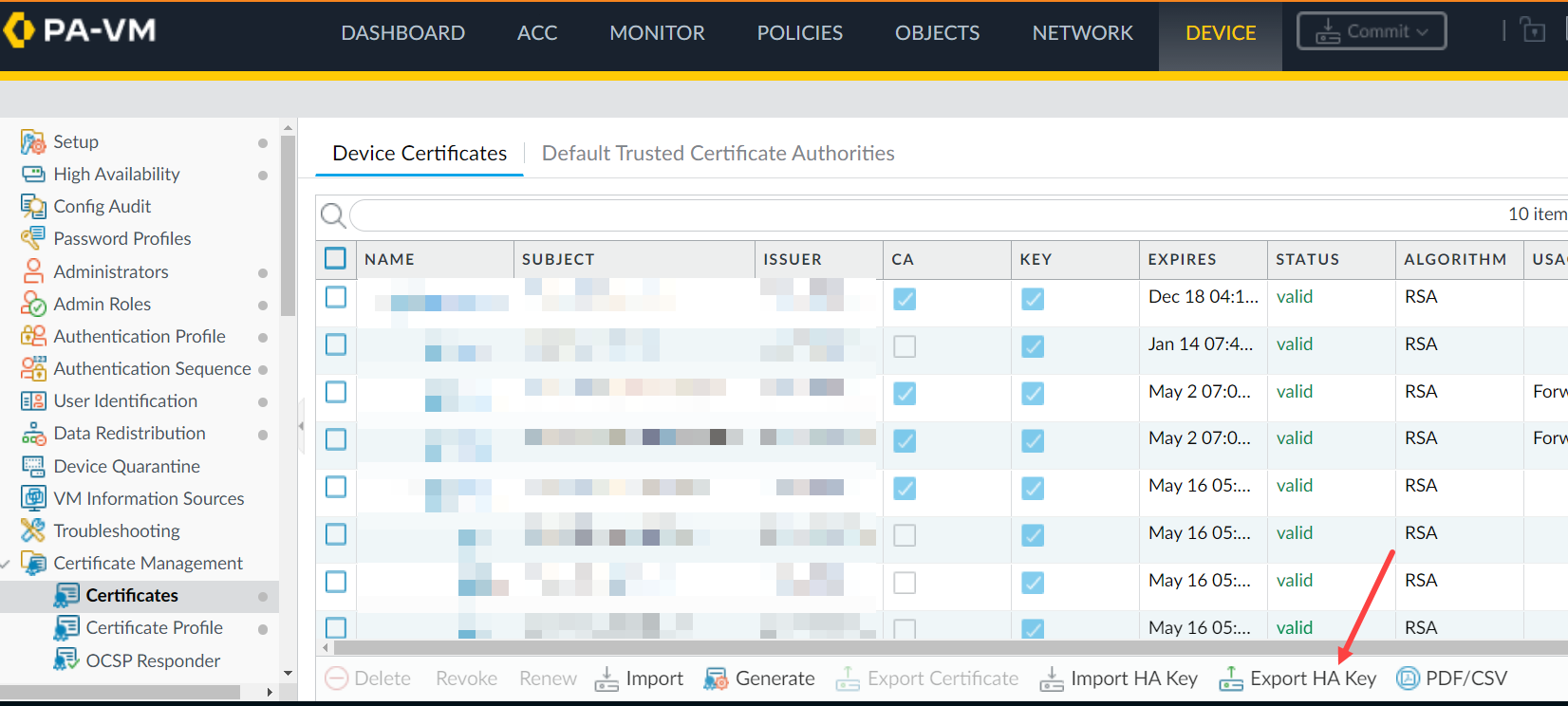
CLIから:
CLIから:
> scp export high-availability-key from HA-key-XXXXXX to user@server_ip:/directory
GUIから:
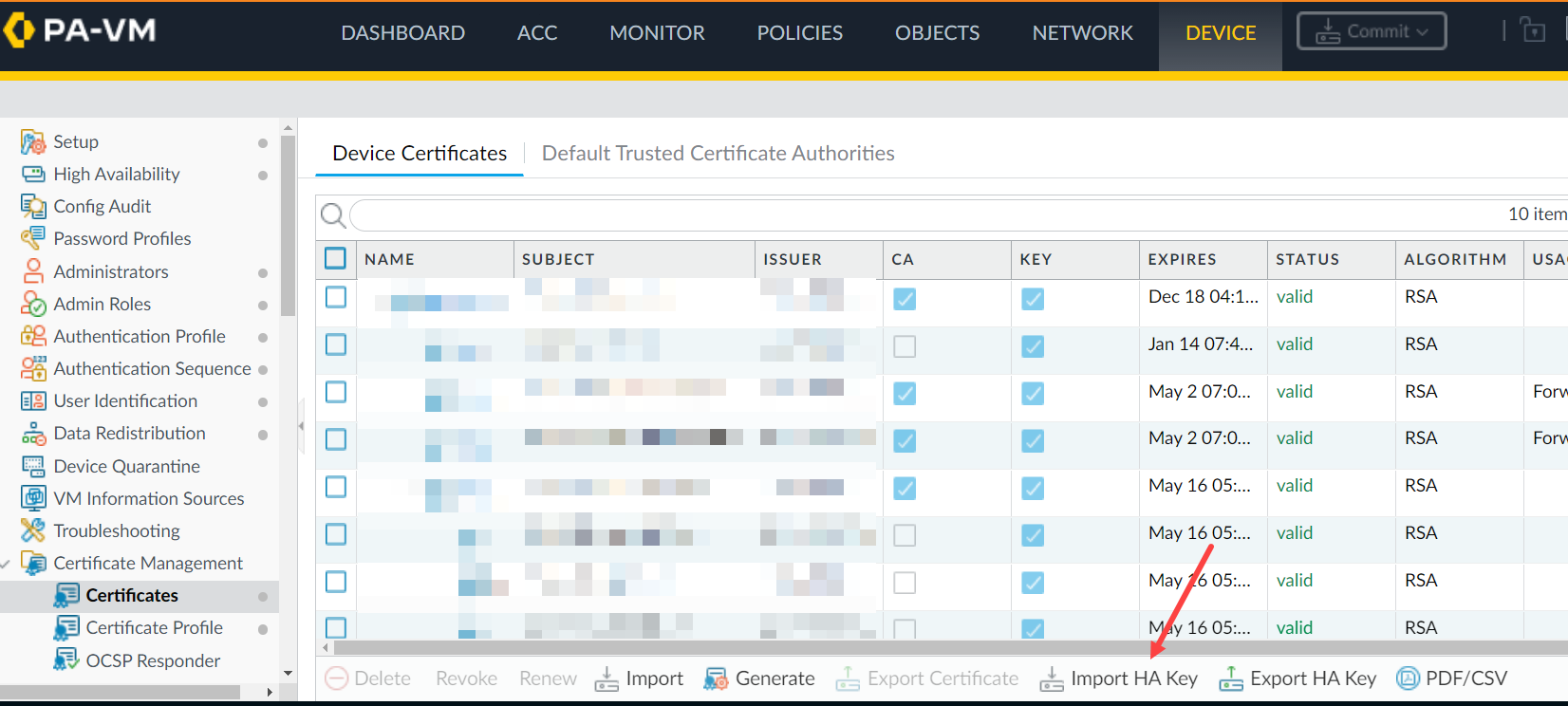
> scp import high-availability-key from user@server_ip:/directory/HA-key-XXXXXX
3. Repeat step 1 and 2 as above to export the HA key from PA2 and import it into PA1.
4. Enable the encryption and perform a commit on both devices.
5. HAノード間の RSA キー交換を完了するには、各ノードからCLI にアクセスし、ピアにSSH で接続します。RSA トークンのインストールを求められた場合は、「yes」と入力します。
For example: 1.1.1.1 < HA Peer MGT Interface IP address.
admin@PA-3050> ssh host 1.1.1.1

The authenticity of host '1.1.1.1 (1.1.1.1)' can't be established.

DSA key fingerprint is e9:de:76:fb:db:95:98:7d:c8:45:c4:83:dc:35:f1:2b.

Are you sure you want to continue connecting (yes/no)? yes   <==========

Warning: Permanently added '1.1.1.1' (DSA) to the list of known hosts.

admin@1.1.1.1's password:
Additional Information
If you have issues with the key or simply want to renew them, use the following CLI command.
Note: Please be aware that this command will cause the firewall to reboot automatically.
> debug system ssh-key-reset high-availability

Executing this command will reset the high-availability SSH keys and reboot the system. Do you want to continue? (y or n)

Broadcast message from root (Fri Mar 29 10:10:28 2013):

The system is going down for reboot NOW!
After running the command, it will be necessary to Resync the keys between the two devices by using the SCP export/import commands or through the GUI as previously explained once the device is rebooted.
To avoid the situation of split brain while enabling HA1 encryption on the firewall, please make sure the passive firewall is suspended.
In this way, enabling HA1 encryption and doing a commit on both firewalls won't result in split brain situation and HA1 encryption option is enabled on both HA pair of firewalls.
Reference KB - 高可用性構成で HA1 の暗号化を有効にする方法