Après la mise à niveau de PAN-OS, la version de l'application/des menaces/de l'antivirus est inconnue dans les informations HA
9202
Created On 12/07/23 05:42 AM - Last Modified 01/07/25 14:03 PM
Symptom
Après la mise à niveau de PAN-OS pour les pare-feu dans une configuration HA , les informations sur la version de l'application/de la menace/de l'antivirus s'affichent comme inconnues dans le widget d'informations HA .
Environment
- NGFW
- PAN-OS
- HA est configuré et activé
- Le cryptage est activé pour le lien HA1
Cause
Le problème est dû au fait que le trafic sur la liaison HA1 n'est pas chiffré et déchiffré correctement après la mise à niveau de PAN-OS.
Resolution
Please follow the below Steps to export and import the RSA key for HA key:
1. Export key on PA1:
Depuis l'interface graphique :
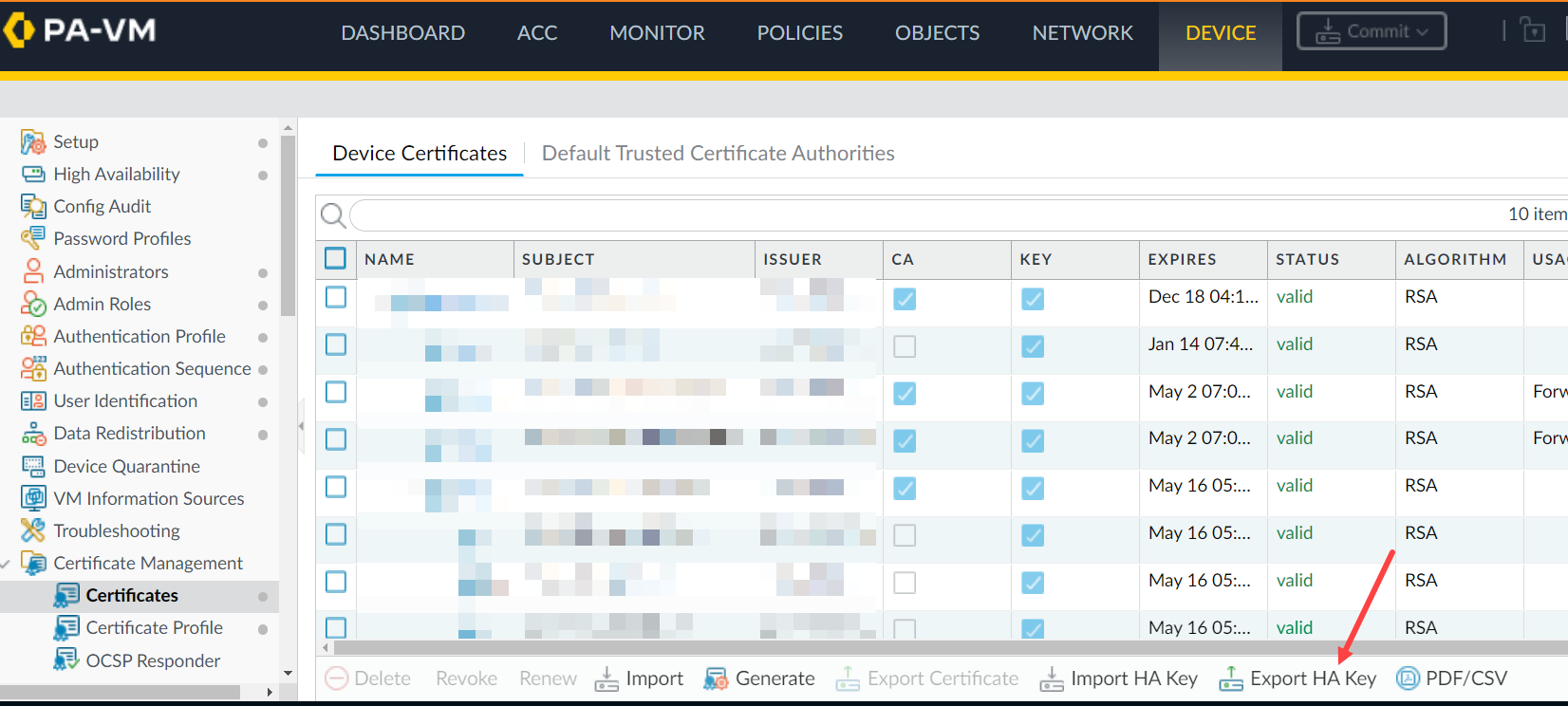
Depuis la CLI:
Depuis la CLI:
> scp export high-availability-key from HA-key-XXXXXX to user@server_ip:/directory
Depuis l'interface graphique :
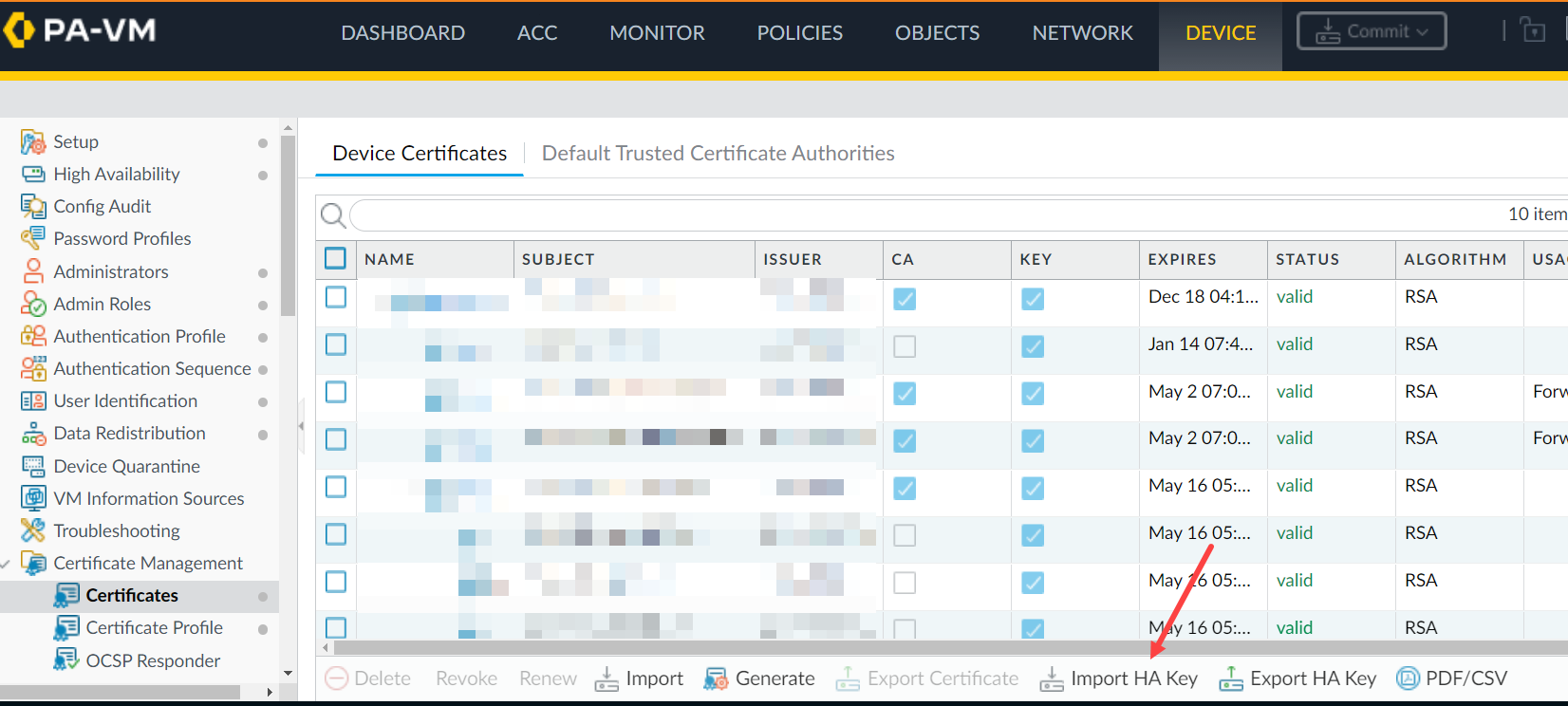
> scp import high-availability-key from user@server_ip:/directory/HA-key-XXXXXX
3. Repeat step 1 and 2 as above to export the HA key from PA2 and import it into PA1.
4. Enable the encryption and perform a commit on both devices.
5. Pour finaliser l'échange de clés RSA entre les nœuds HA , accédez à la CLI à partir de chaque nœud et connectez-vous à l'homologue SSH . Lorsque vous êtes invité à installer le jeton RSA, saisissez oui.
For example: 1.1.1.1 < HA Peer MGT Interface IP address.
admin@PA-3050> ssh host 1.1.1.1

The authenticity of host '1.1.1.1 (1.1.1.1)' can't be established.

DSA key fingerprint is e9:de:76:fb:db:95:98:7d:c8:45:c4:83:dc:35:f1:2b.

Are you sure you want to continue connecting (yes/no)? yes   <==========

Warning: Permanently added '1.1.1.1' (DSA) to the list of known hosts.

admin@1.1.1.1's password:
Additional Information
If you have issues with the key or simply want to renew them, use the following CLI command.
Note: Please be aware that this command will cause the firewall to reboot automatically.
> debug system ssh-key-reset high-availability

Executing this command will reset the high-availability SSH keys and reboot the system. Do you want to continue? (y or n)

Broadcast message from root (Fri Mar 29 10:10:28 2013):

The system is going down for reboot NOW!
After running the command, it will be necessary to Resync the keys between the two devices by using the SCP export/import commands or through the GUI as previously explained once the device is rebooted.
To avoid the situation of split brain while enabling HA1 encryption on the firewall, please make sure the passive firewall is suspended.
In this way, enabling HA1 encryption and doing a commit on both firewalls won't result in split brain situation and HA1 encryption option is enabled on both HA pair of firewalls.
Reference KB - Comment activer le chiffrement sur HA1 dans les configurations à High Availability (haute disponibilité - HA)