Después de la actualización de PAN-OS, la versión de la aplicación/amenaza/antivirus es desconocida en la información de HA
9192
Created On 12/07/23 05:42 AM - Last Modified 01/07/25 14:05 PM
Symptom
Después de la actualización de PAN-OS para los firewalls en una configuración de HA , la información de la versión de la aplicación/amenaza/antivirus se muestra como desconocida en el widget de información de HA .
Environment
- Gigante nuclear
- PAN-OS
- HA está configurado y habilitado
- El cifrado está habilitado para el enlace HA1
Cause
El problema se debe a que el tráfico a través del enlace HA1 no se cifra ni descifra correctamente después de la actualización de PAN-OS.
Resolution
Please follow the below Steps to export and import the RSA key for HA key:
1. Export key on PA1:
Desde la GUI:
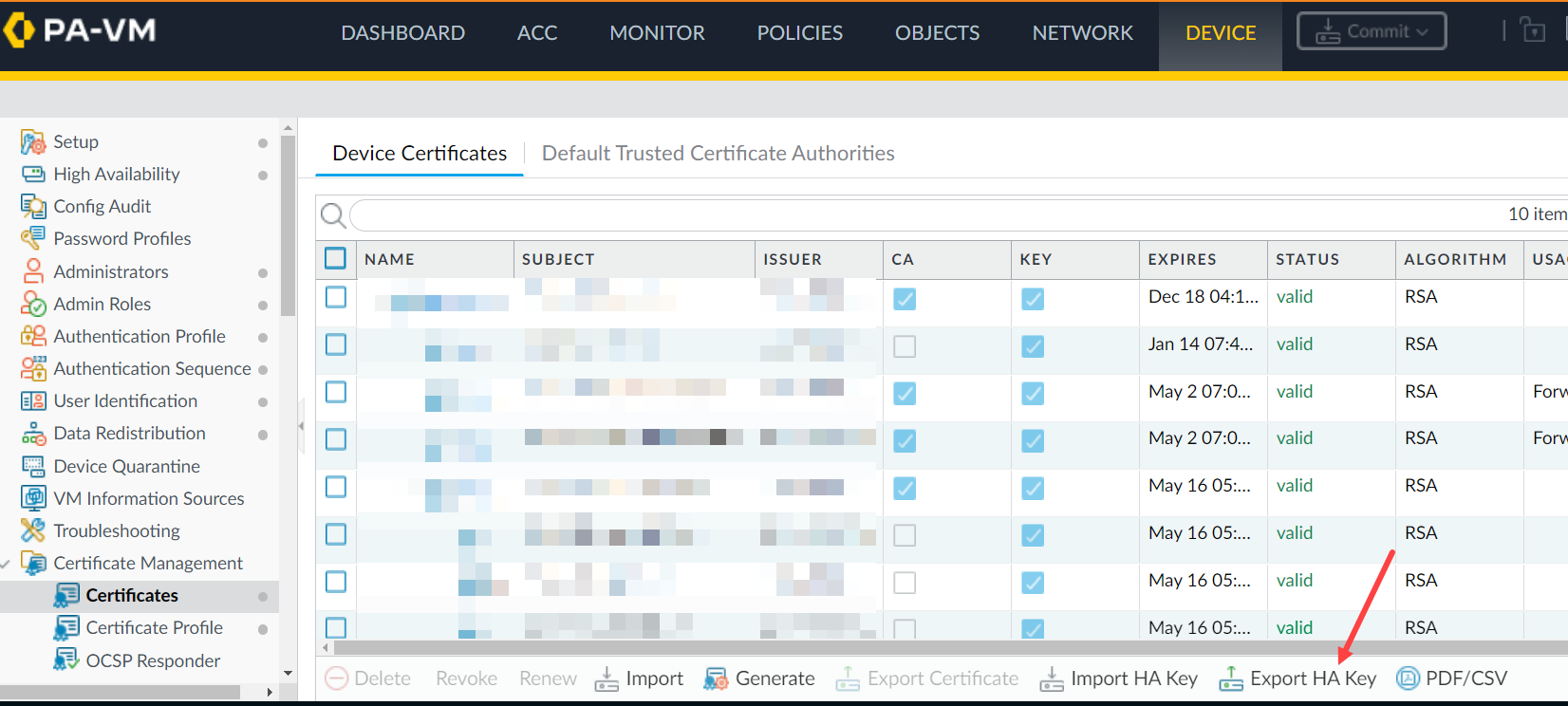
Desde CLI:
Desde CLI:
> scp export high-availability-key from HA-key-XXXXXX to user@server_ip:/directory
Desde la GUI:
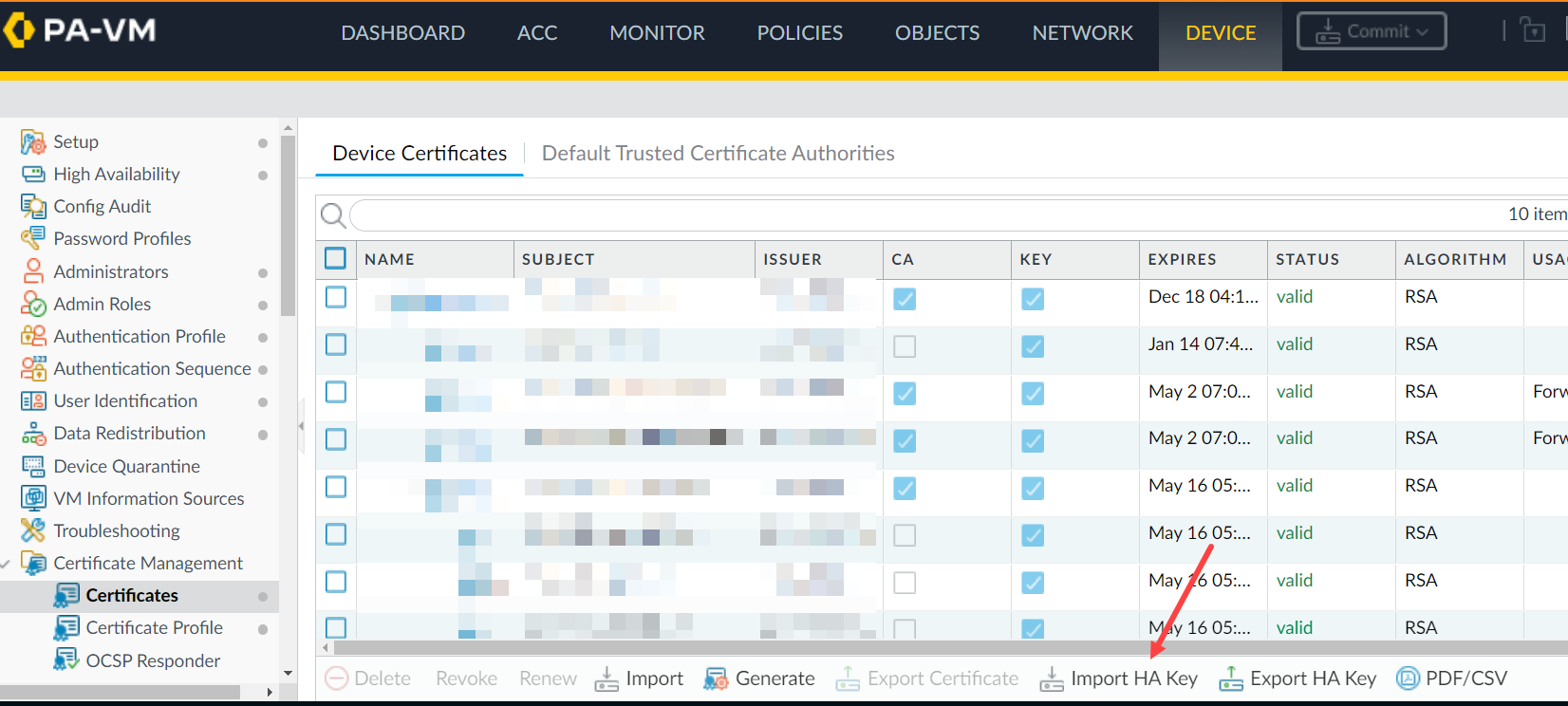
> scp import high-availability-key from user@server_ip:/directory/HA-key-XXXXXX
3. Repeat step 1 and 2 as above to export the HA key from PA2 and import it into PA1.
4. Enable the encryption and perform a commit on both devices.
5. Para finalizar el intercambio de claves RSA entre nodos de HA , acceda a la CLI desde cada nodo y SSH al par. Cuando se le solicite que instale el token RSA, escriba sí.
For example: 1.1.1.1 < HA Peer MGT Interface IP address.
admin@PA-3050> ssh host 1.1.1.1

The authenticity of host '1.1.1.1 (1.1.1.1)' can't be established.

DSA key fingerprint is e9:de:76:fb:db:95:98:7d:c8:45:c4:83:dc:35:f1:2b.

Are you sure you want to continue connecting (yes/no)? yes   <==========

Warning: Permanently added '1.1.1.1' (DSA) to the list of known hosts.

admin@1.1.1.1's password:
Additional Information
If you have issues with the key or simply want to renew them, use the following CLI command.
Note: Please be aware that this command will cause the firewall to reboot automatically.
> debug system ssh-key-reset high-availability

Executing this command will reset the high-availability SSH keys and reboot the system. Do you want to continue? (y or n)

Broadcast message from root (Fri Mar 29 10:10:28 2013):

The system is going down for reboot NOW!
After running the command, it will be necessary to Resync the keys between the two devices by using the SCP export/import commands or through the GUI as previously explained once the device is rebooted.
To avoid the situation of split brain while enabling HA1 encryption on the firewall, please make sure the passive firewall is suspended.
In this way, enabling HA1 encryption and doing a commit on both firewalls won't result in split brain situation and HA1 encryption option is enabled on both HA pair of firewalls.
Reference KB - Cómo habilitar el cifrado en HA1 en configuraciones de Alta disponibilidad