Nach PAN-OS-Upgrade ist die App-/Bedrohungs-/Antivirenversion in den HA -Informationen unbekannt
9184
Created On 12/07/23 05:42 AM - Last Modified 01/07/25 14:04 PM
Symptom
Nach einem PAN-OS-Upgrade für die Firewalls in einer HA Einrichtung werden die Informationen zur App-/Bedrohungs-/Antivirenversion im HA Informations-Widget als „Unbekannt“ angezeigt.
Environment
- NGFW
- PAN-OS
- HA ist konfiguriert und aktiviert
- Die Verschlüsselung ist für den HA1-Link aktiviert
Cause
Das Problem wird dadurch verursacht, dass der Datenverkehr über die HA1-Verbindung nach dem PAN-OS-Upgrade nicht richtig verschlüsselt und entschlüsselt wird.
Resolution
Please follow the below Steps to export and import the RSA key for HA key:
1. Export key on PA1:
Über die GUI:
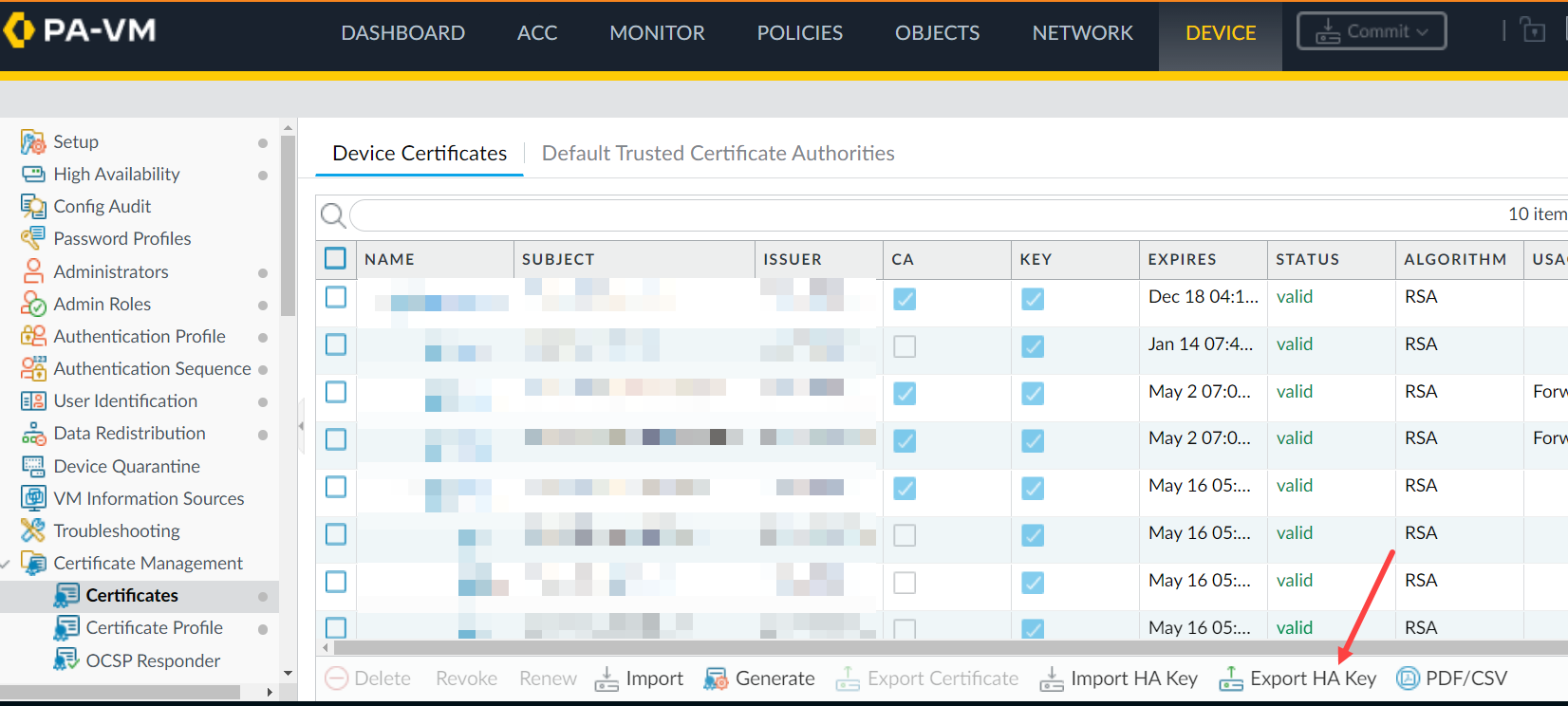
Über die CLI:
Über die CLI:
> scp export high-availability-key from HA-key-XXXXXX to user@server_ip:/directory
Über die GUI:
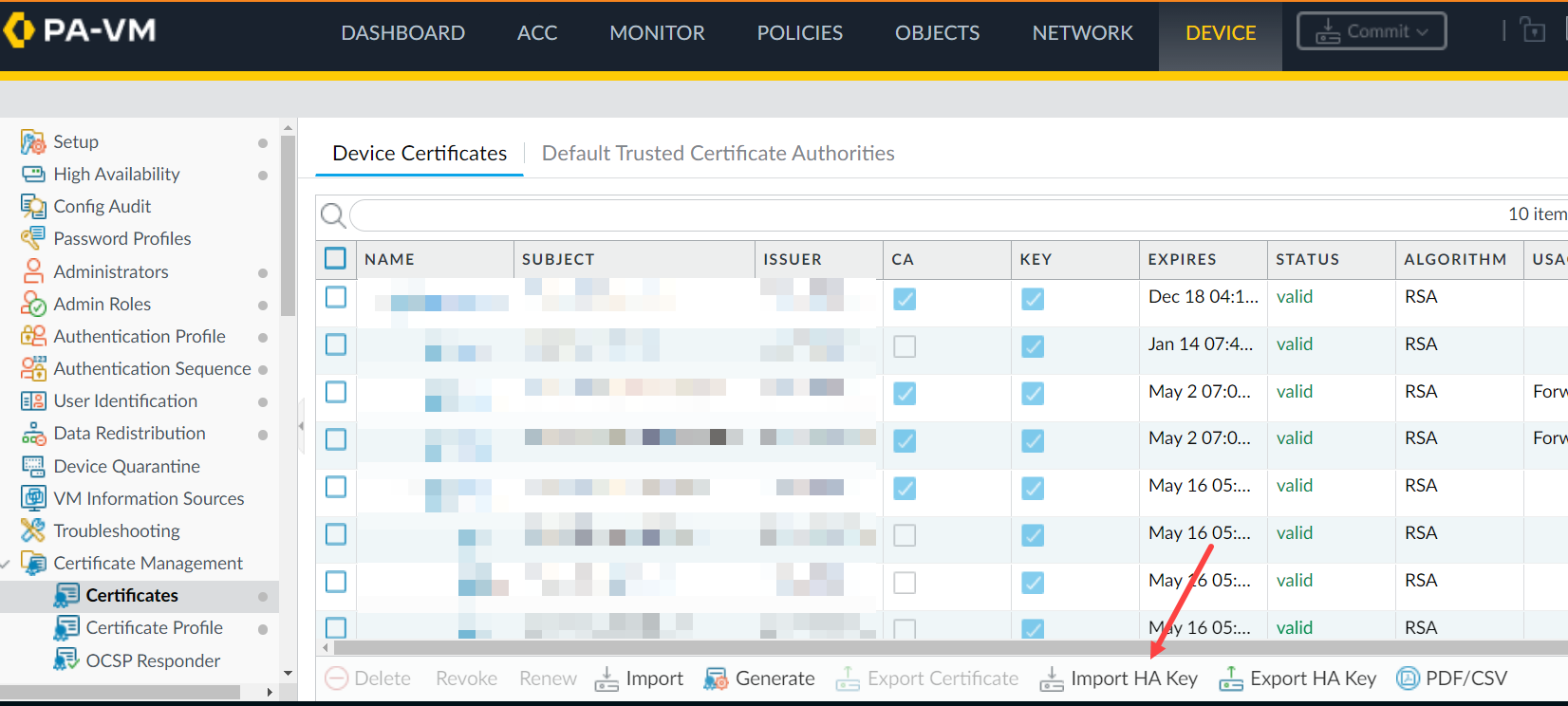
> scp import high-availability-key from user@server_ip:/directory/HA-key-XXXXXX
3. Repeat step 1 and 2 as above to export the HA key from PA2 and import it into PA1.
4. Enable the encryption and perform a commit on both devices.
5. Um den RSA-Schlüsselaustausch zwischen HA -Knoten abzuschließen, greifen Sie von jedem Knoten aus auf die CLI zu und stellen SSH eine Verbindung zum Peer her. Wenn Sie aufgefordert werden, das RSA-Token zu installieren, geben Sie „yes“ ein.
For example: 1.1.1.1 < HA Peer MGT Interface IP address.
admin@PA-3050> ssh host 1.1.1.1

The authenticity of host '1.1.1.1 (1.1.1.1)' can't be established.

DSA key fingerprint is e9:de:76:fb:db:95:98:7d:c8:45:c4:83:dc:35:f1:2b.

Are you sure you want to continue connecting (yes/no)? yes   <==========

Warning: Permanently added '1.1.1.1' (DSA) to the list of known hosts.

admin@1.1.1.1's password:
Additional Information
If you have issues with the key or simply want to renew them, use the following CLI command.
Note: Please be aware that this command will cause the firewall to reboot automatically.
> debug system ssh-key-reset high-availability

Executing this command will reset the high-availability SSH keys and reboot the system. Do you want to continue? (y or n)

Broadcast message from root (Fri Mar 29 10:10:28 2013):

The system is going down for reboot NOW!
After running the command, it will be necessary to Resync the keys between the two devices by using the SCP export/import commands or through the GUI as previously explained once the device is rebooted.
To avoid the situation of split brain while enabling HA1 encryption on the firewall, please make sure the passive firewall is suspended.
In this way, enabling HA1 encryption and doing a commit on both firewalls won't result in split brain situation and HA1 encryption option is enabled on both HA pair of firewalls.
Reference KB - So aktivieren Sie die Verschlüsselung auf HA1 in High Availability (hohe Verfügbarkeit, HA)