Details
Using the network shown in the example, BGP will be configured to use one link as the primary and another link as backup for inbound and outbound internet traffic.
The user has full control over how traffic exits the network, but can only influence how traffic enters the network. By default, BGP hands off a packet at the closest AS exit, though this may not be an optimal route. Local preference can be used to control egress traffic, and AS path to influence ingress traffic.
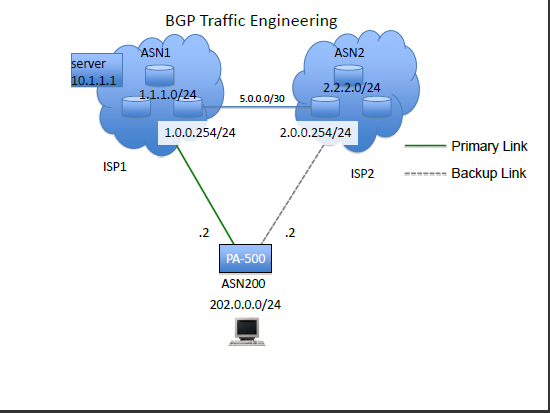
Part 1: Configuring BGP
- Go to Network > Virtual Routers > select your virtual router > BGP > Export to view the BGP Export Rules:
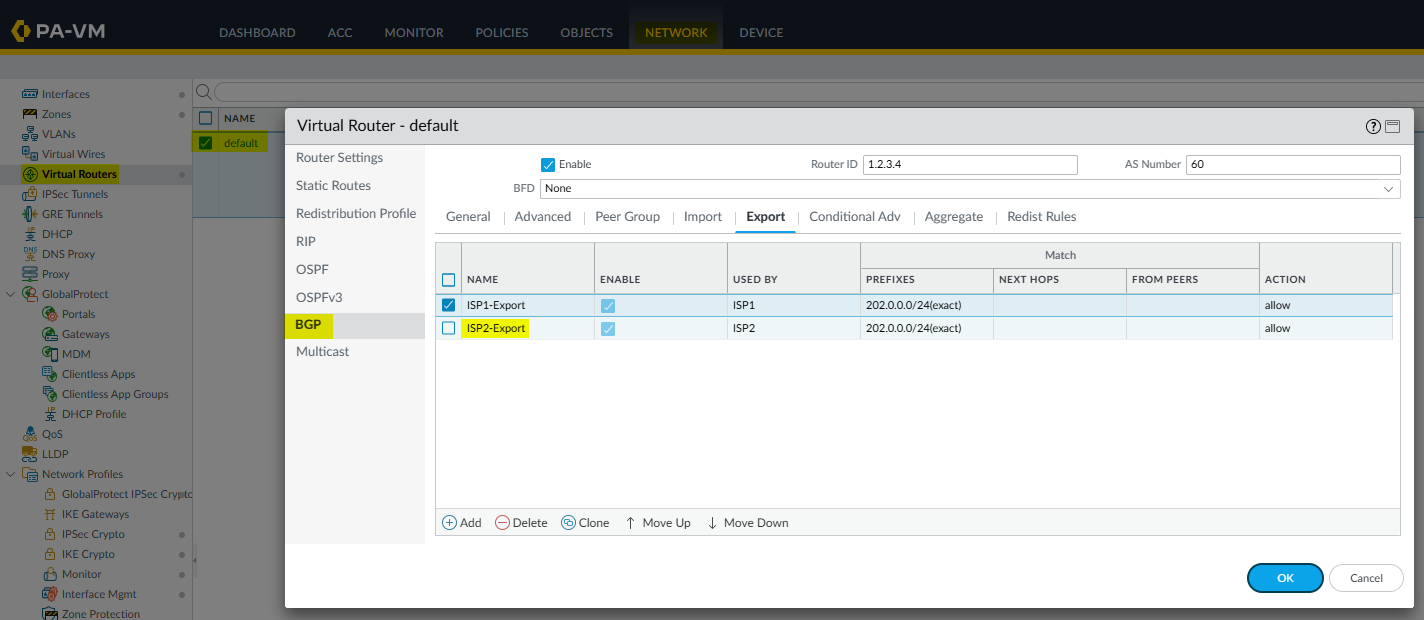
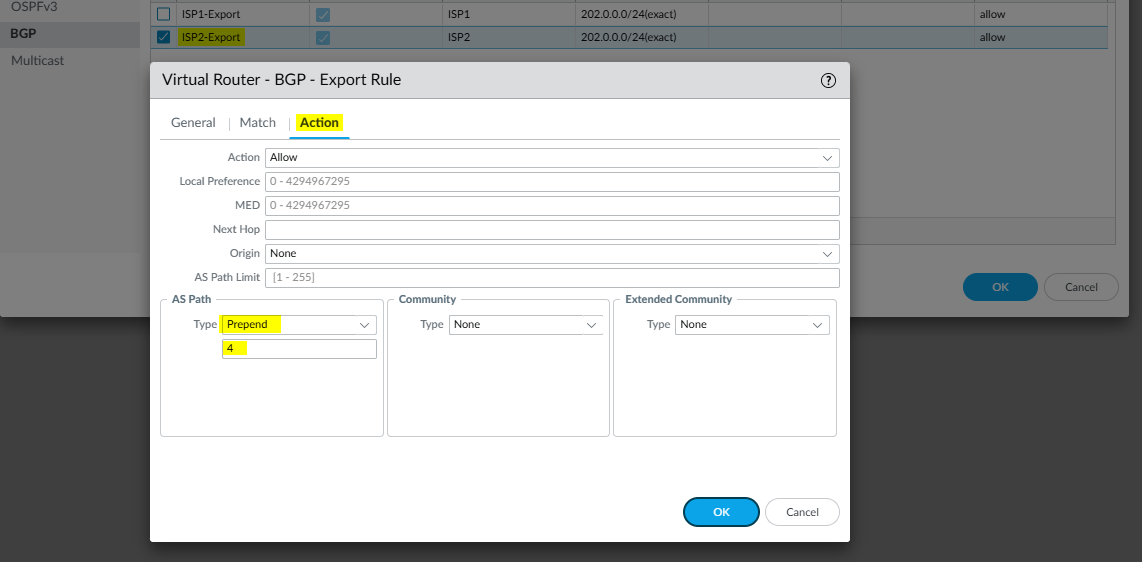
- Edit your BGP Export Rule, in this case, "ISP2-export". Click on the "Action" tab to change the AS path to "Prepend" and assign the ASN value to 4 times:
- Configure a BGP Import Rule filter to change the "Local Preference" on routes from your primary ISP peer. A higher value in the "Local Preference" field will signify that it is the preferred path:
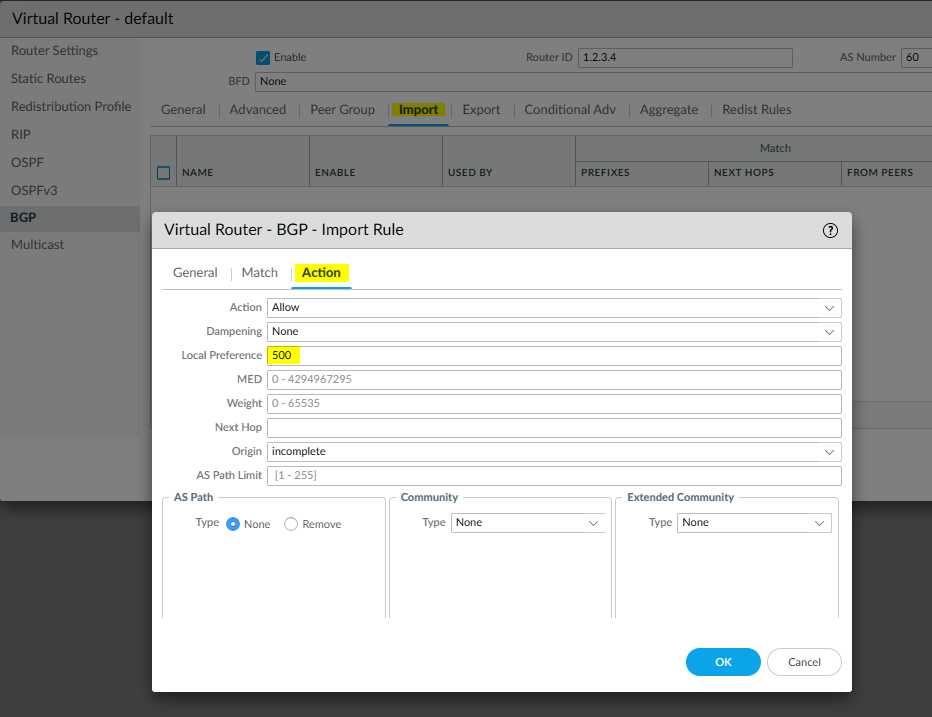
- Add a BGP Import Rule
Name: ISP1-import
Put a checkmark next to ISP1
Match tab: Leave blank since all routes are matching
Action tab: Change Local Preference to 500
- Commit the changes
Part 2: Verifying the BGP Traffic Engineering Setup
Show Commands
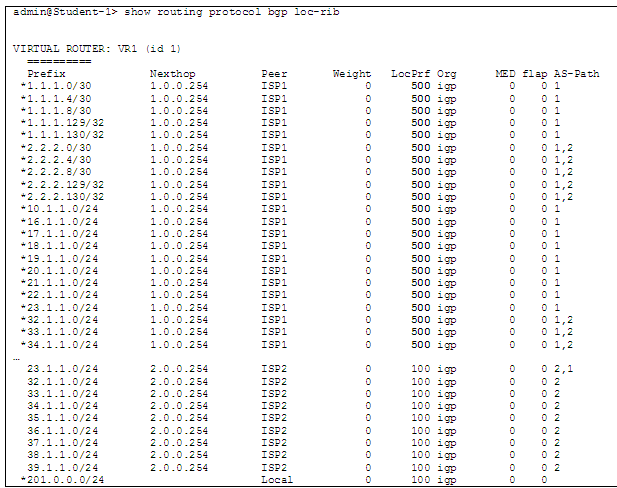
> show routing protocol bgp loc-rib
As shown below, all routes prefer the primary ISP path due to local preference:
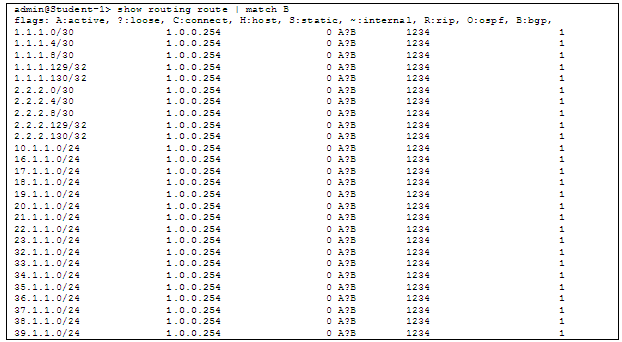
> show routing route | match B
See all BGP routes are coming from the primary ISP peer, as shown below:
> show routing protocol bgp rib-out
See that the AS PATH is longer when advertising to the backup ISP peer:

Ping and traceroute to various IPs in both ISP networks to verify that the correct paths are taken.