The IPv6 firewalling can be enabled or disabled through the WebUI or the CLI. This feature is enabled by default.
WebUI
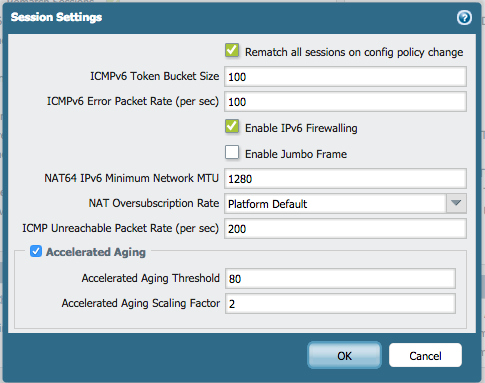
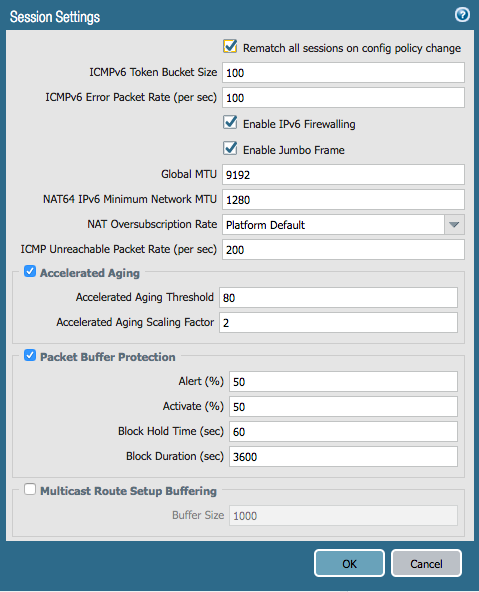
The IPv6 firewalling can be enabled/disabled under Device > Setup > Session:
PAN-OS 7.1:
PAN-OS 8 and up
CLI
> configure
# set deviceconfig setting session ipv6-firewalling [yes|no]
# commit
# exit
Interface configuration example:
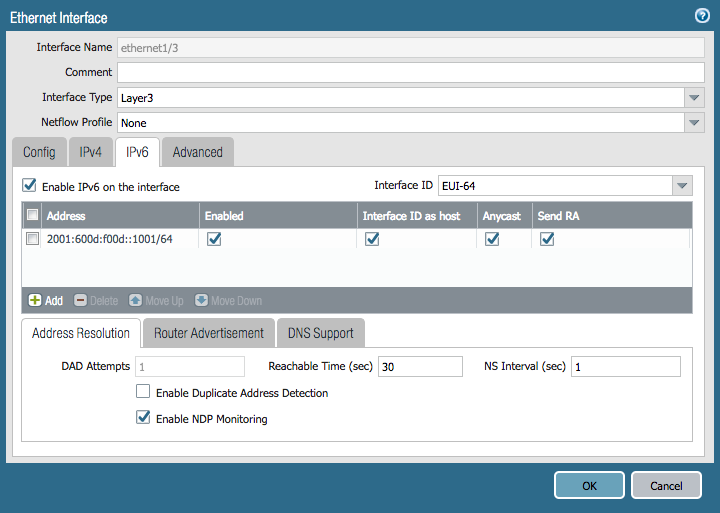
To enable or disable IPv6 on an interface via CLI:
> configure
# set network interface ethernet ethernet1/3 layer3 ipv6 enabled [yes|no]
# commit
# exit