Prisma Cloud: AWS S3 bucket integration fails with IllegalArgumentException error
3464
Created On 08/11/22 13:39 PM - Last Modified 04/26/24 19:44 PM
Symptom
Integrate Prisma Cloud with Amazon S3 and the test result shows an Error: “Amazon S3 integration test failed : IllegalArgumentException: Endpoint does not contain a valid host name: null”
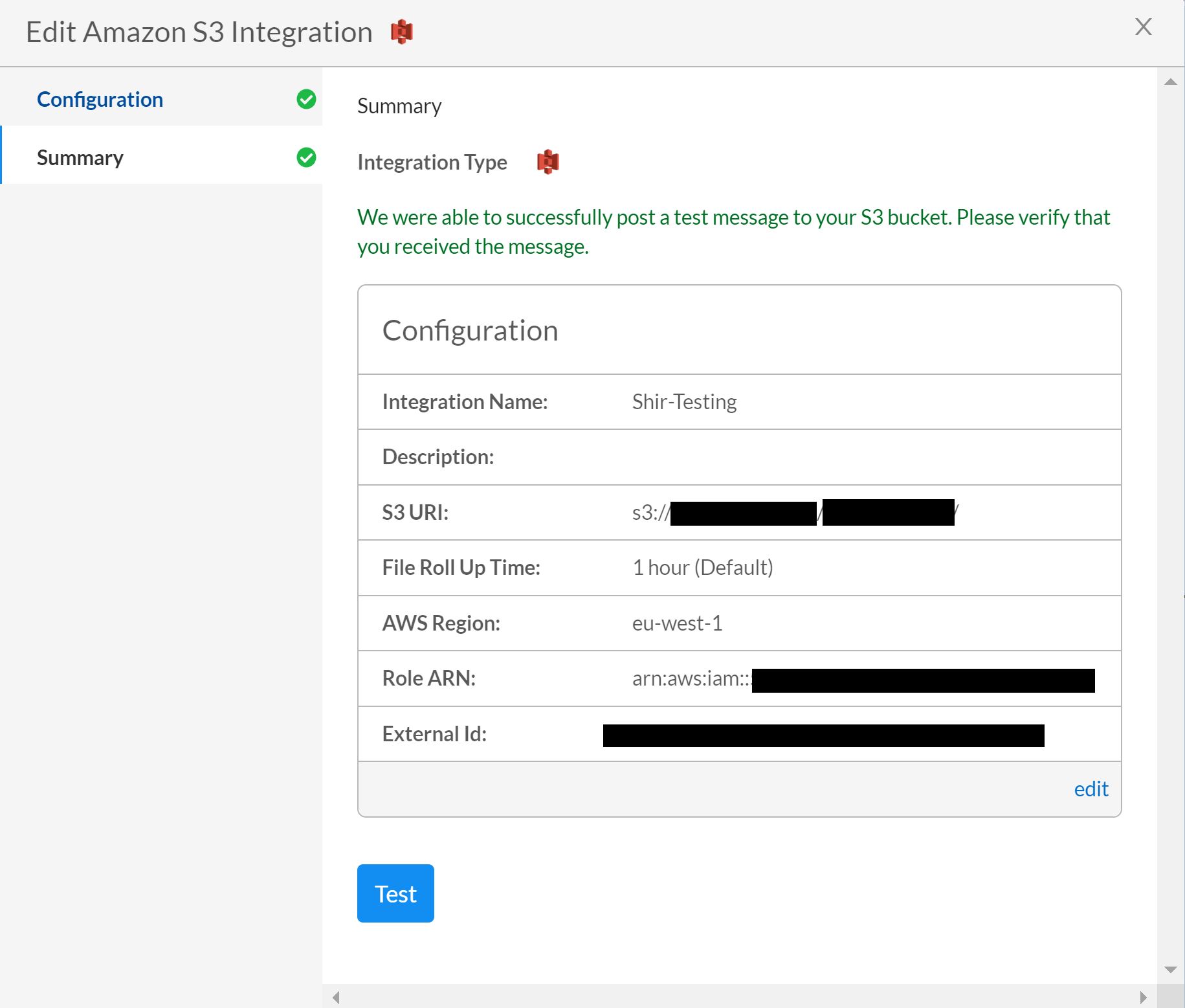
GUI Path: Settings > Integrations & Notifications > Add Integration > S3
Environment
- Prisma Cloud
- Amazon S3
Cause
- The is caused if the AWS region is not added properly.
- Prisma cloud expect to have the CODE region and not the entire region name.
Resolution
- Do not use the entire name, and only use the region code.
- Instead of the NAME: US East (N.Virginia) us-east-1, Use the CODE: us-east-1
GUI Path: Settings > Integrations & Notifications > Add Integration > S3
Additional Information
List of AWS Regions
This is complete list of AWS regions available currently.
| S.NO | CODE | NAME |
|---|---|---|
| 1 | us-east-1 | US East (N. Virginia) |
| 2 | us-west-2 | US West (Oregon) |
| 3 | us-west-1 | US West (N. California) |
| 4 | eu-west-1 | EU (Ireland) |
| 5 | eu-central-1 | EU (Frankfurt) |
| 6 | ap-southeast-1 | Asia Pacific (Singapore) |
| 7 | ap-northeast-1 | Asia Pacific (Tokyo) |
| 8 | ap-southeast-2 | Asia Pacific (Sydney) |
| 9 | ap-northeast-2 | Asia Pacific (Seoul) |
| 10 | sa-east-1 | South America (São Paulo) |
| 11 | cn-north-1 | China (Beijing) |
| 12 | ap-south-1 | India (Mumbai) |