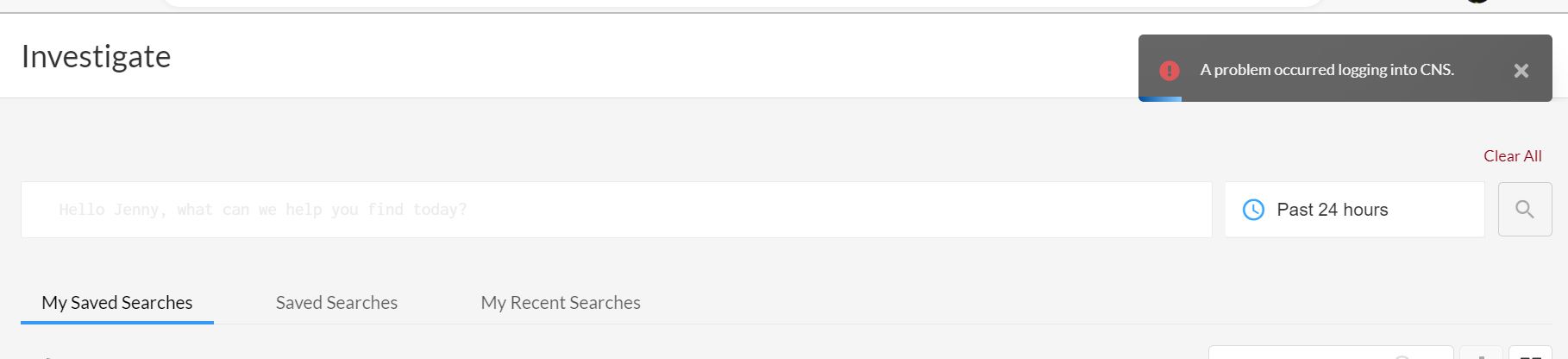
Error "a problem occurred logging into CNS" seen while accessing Prisma Cloud Features
2897
Created On 01/06/23 09:50 AM - Last Modified 07/10/23 09:05 AM
Symptom
Error "a problem occurred logging into CNS" seen while accessing Prisma Cloud Features such as Investigate Page or while editing any Policy
Environment
- Prisma Cloud
Cause
- This error occurs due to connectivity issues with the Prisma Cloud URL/Domains.
Resolution
- Different NAT Gateway IP addresses and URL/Domains are used by different components of the Services of Prisma Cloud so that it connect to the cloud environments for monitoring and one can log in to the Prisma Cloud administrative console
- One such component is Cloud Network Security (CNS) / Microsegmentation capabilities
- Ensure that the domain ".network.prismacloud.io" is whitelisted in your Environment Network Gateway
Example: If the machine connects to the VPN before user attempts to access Prisma Cloud Console, user needs to whitelist the domains at the VPN gateway or any other network firewalls where network/domain filtering are being performed
Additional Information
- For more information on additional permissions, refer: Enable Access Prisma Cloud Console
- Test by connecting to the Prisma Console Stack without VPN or via other ISP network/Hotspot. This is to avoid any network/domain filtering
- Collect the HAR Capture while you perform the action which leads to this Error and reach out to Prisma Cloud Support Team with all the information