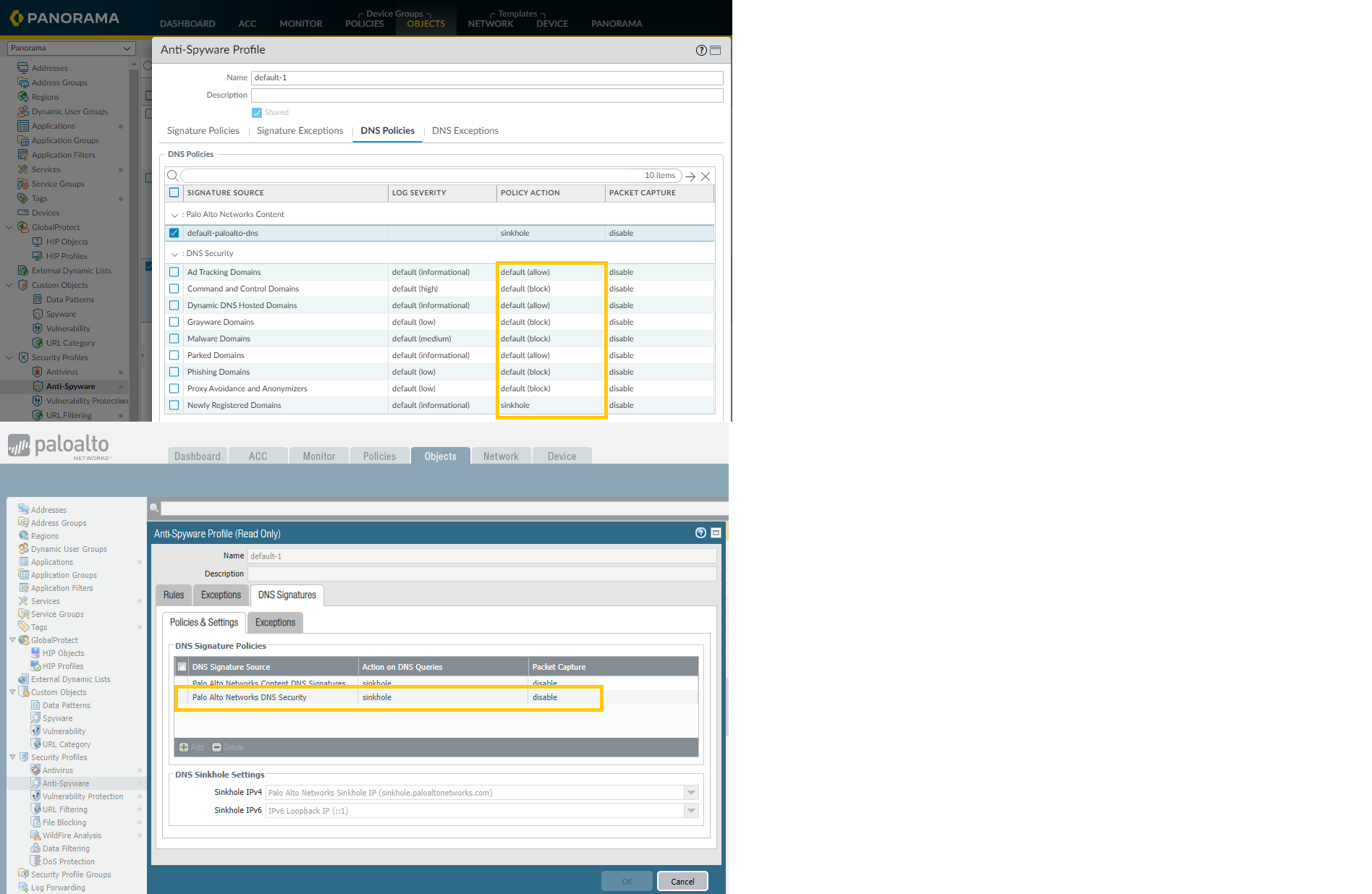
How does Antispyware profile DNS policies action pushed from PAN-OS 10.x Panorama, translate into PAN-OS 9.x firewall "Palo Alto Networks DNS security" action ?
14861
Created On 10/22/21 19:55 PM - Last Modified 03/16/23 15:22 PM
Question
How does PANOS 10.x Spyware profile DNS policies pushed from PAN-OS 10.x on Panorama, translate into PAN-OS 9.x firewall "Palo Alto Networks DNS security" action ?
Environment
- Panorama
- Managed Palo Alto Firewalls
- PAN-OS 10.x
- PAN-OS 9.X
- Anti Spyware Profile
Answer
Depending on the 'policy action' or 'log severity' defined on Panorama 10.x Antispyware profile on any of the DNS security policy categories, the configuration will be translated based on the following conditions (9.x).
- In order to achieve "allow" action on the firewall (9.x ), the Antispyware profile on Panorama (10.x) should have all "policy actions" as allow and all "log severity" set to None.
Note: Antispyware profile can be configured at GUI: Objects > Security Profiles > Anti-Spyware Profile
Example :
- In order to achieve alert action the firewall (9.x ), the Antispyware profile on Panorama (10.x) should have all "policy actions" as allow and at least one "log severity" defined for any of the categories.
Example :
- In order to achieve block action on the firewall (9.x ), the Antispyware profile on Panorama (10.x) should have at least one "policy action" as block.
Examples :
4. In order to achieve sinkhole action on the firewall (9.x ), the Antispyware profile on Panorama (10.x) should have at least one "policy action" as sinkhole.