How to configure MDM attributes as HIP objects for GlobalProtect using Microsoft Intune with iOS devices
37301
Created On 07/23/23 21:08 PM - Last Modified 02/05/25 16:07 PM
Objective
- This document will explain how to configure MDM attributes as HIP objects for GlobalProtect using Microsoft Intune with iOS devices
Environment
- Existing GlobalProtect infrastructure
- IOS devices managed by the Microsoft Intune MDM
- MDM attributes used for HIP-Based Policy Enforcement
Procedure
Microsoft Intune configuration:
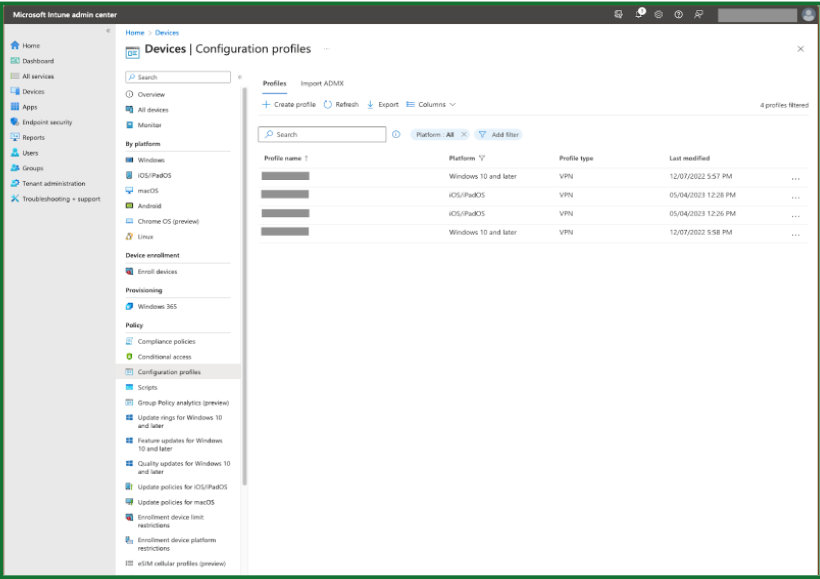
1. Navigate to Devices → Configuration Profiles. Select the appropriate Profile and click “Edit” next to “Configuration settings”. Note: The profile must be a "iOS/iPadOS” “VPN Template” profile. Ensure the connection type is “Custom VPN”
2. Enter the tags under “Base VPN” and click 'Review + save'
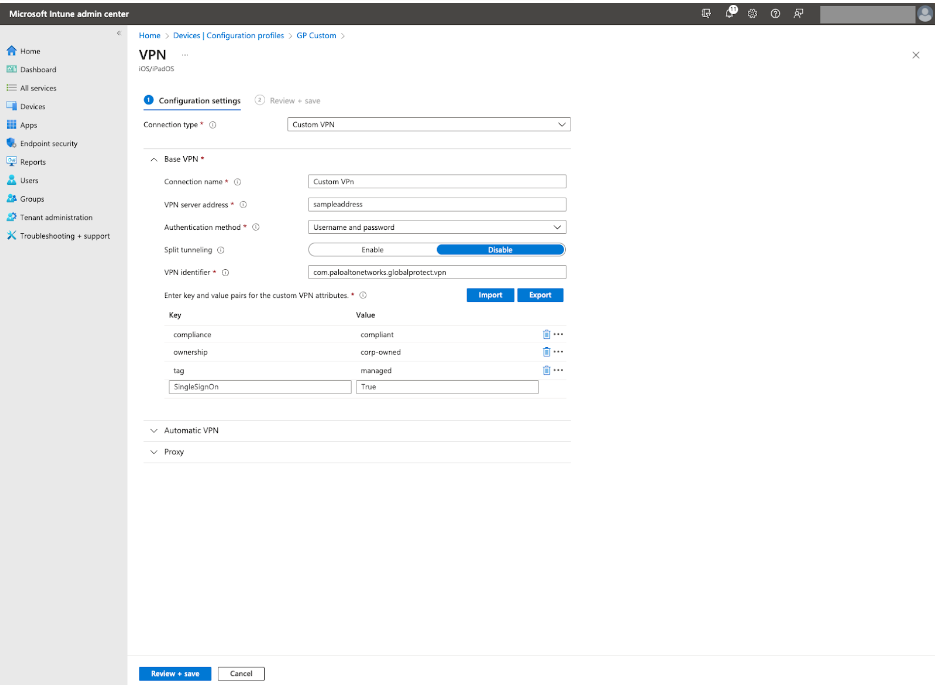
When you integrate your GlobalProtect deployment with the Microsoft Intune MDM system, the GlobalProtect app for iOS devices can obtain the following data attributes: tag, compliance, and ownership are the keys. The keys are case-sensitive (must be lower-case), and the value can be set as anything
2. Enter the tags under “Base VPN” and click 'Review + save'
When you integrate your GlobalProtect deployment with the Microsoft Intune MDM system, the GlobalProtect app for iOS devices can obtain the following data attributes: tag, compliance, and ownership are the keys. The keys are case-sensitive (must be lower-case), and the value can be set as anything
- tag—Tags to enable you to match against other attributes
- compliance —Compliance status to indicate whether the iOS device is compliant
- ownership—Ownership category of the iOS device (for example, Employee Owned)
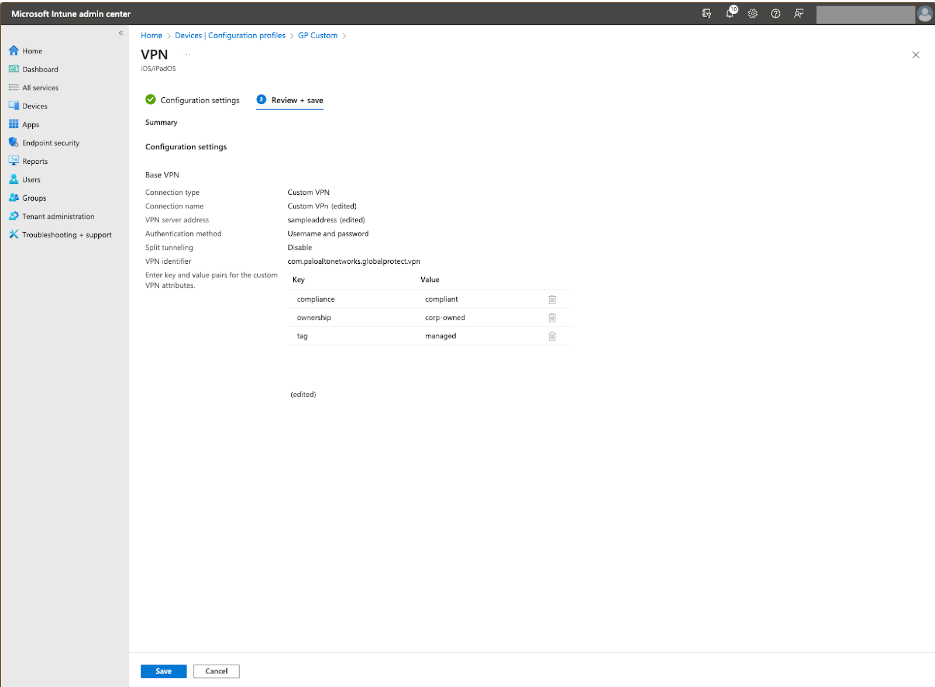
4. Click "Save"
Firewall configuration:
- Create the HIP object under “Mobile Device” → “Tag” and set HIP objects checking for the values you assigned in Microsoft Intune
2. Configure a HIP profile using the HIP object configured in step # 1
3. HIP reports for the devices with the MDM VPN profile will include the tags
Additional Information
-
Configure an Always On VPN Configuration for iOS Endpoints Using Microsoft Intune
-
Configure HIP-Based Policy Enforcement
-
What Data Does the GlobalProtect App Collect on Each Operating System