How to configure MDM attributes as HIP objects for GlobalProtect using Workspace ONE with iOS devices
6872
Created On 03/31/23 01:05 AM - Last Modified 07/26/23 17:12 PM
Objective
- This document will explain how to configure MDM attributes as HIP objects for GlobalProtect using Workspace ONE with iOS devices
Environment
- Existing GlobalProtect infrastructure
- IOS devices managed by Workspace One MDM
- MDM attributes used for HIP-Based Policy Enforcement
Procedure
Workspace One configuration:
- Navigate to Resources → Profiles & Baselines → Profiles. Select the appropriate VPN Profile or add a new VPN Profile
2. Enter the tags under “VPN” → “Custom Data”.

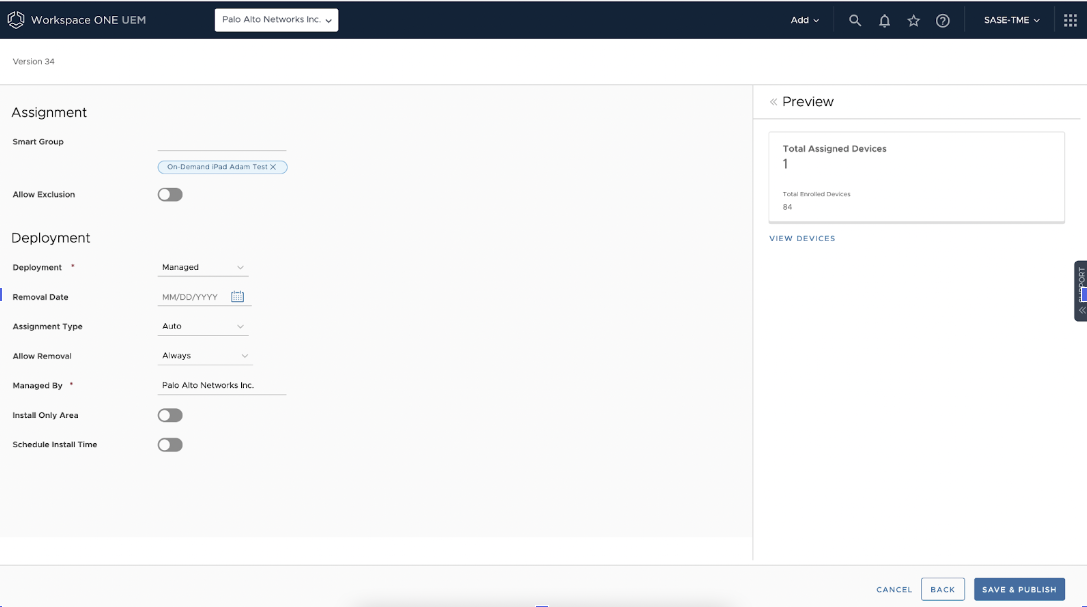
3. Save & Publish the Profile to the appropriate devices
When you integrate your GlobalProtect deployment with the Workspace One MDM system, the GlobalProtect app for iOS devices can obtain the following data attributes: tag, compliance, and ownership are the keys. The keys are case-sensitive (must be lower-case), and the value can be set as anything
-
tag—Tags to enable you to match against other attributes
-
compliance —Compliance status to indicate whether the iOS device is compliant
-
ownership—Ownership category of the iOS device (for example, Employee Owned)
3. Save & Publish the Profile to the appropriate devices
Firewall configuration:
- Create the HIP object under “Mobile Device” → “Tag” and set HIP objects checking for the values you assigned in Workspace One
- Configure a HIP profile using the HIP object configured in step # 1
Additional Information
- Configure an Always On VPN Configuration for iOS Endpoints Using Workspace ONE
- Configure HIP-Based Policy Enforcement
- What Data Does the GlobalProtect App Collect on Each Operating System?