一次性密码(OTP ) 升级后不工作PanoramaPAN-OS和云插件
25558
Created On 01/11/23 19:21 PM - Last Modified 08/17/23 06:36 AM
Symptom
正在尝试连接Panorama到CDL升级到之后PAN-OS10.1.8 但出现错误:“无法验证帐户。 无法完成功能/许可证检查。”
Environment
- VM-Panorama,
- PAN-OS 10.1.8,
- Panorama 云插件 3.1.2
Cause
这发生在Panorama无法用新证书替换其旧证书。 那时必须手动删除旧证书。
正如我们在下面所做的:
Panorama > request plugins cloud_services panorama-certificate delete
Resolution
- 来自PanoramaCLI跑步
> delete license key *key
[ You may also delete ONLY the Coxtex Data Lake license key, i.e., Logging Service, instead of ALL licenses.]

> request license fetch

> request plugins cloud_services panorama-certificate delete ←

> request plugins cloud_services panorama-certificate fetch debug yes otp xxxxxxxxxxxxxxxxxxxx
- 你得到OTP从:CSP (支持.paloaltonetworks.com )资产 >Cloud Services (映射到“右”Panorama ) >产生OTP> 复制OTP→ 命中进入]
- 你应该看到“成功“在结束时CLI输出。
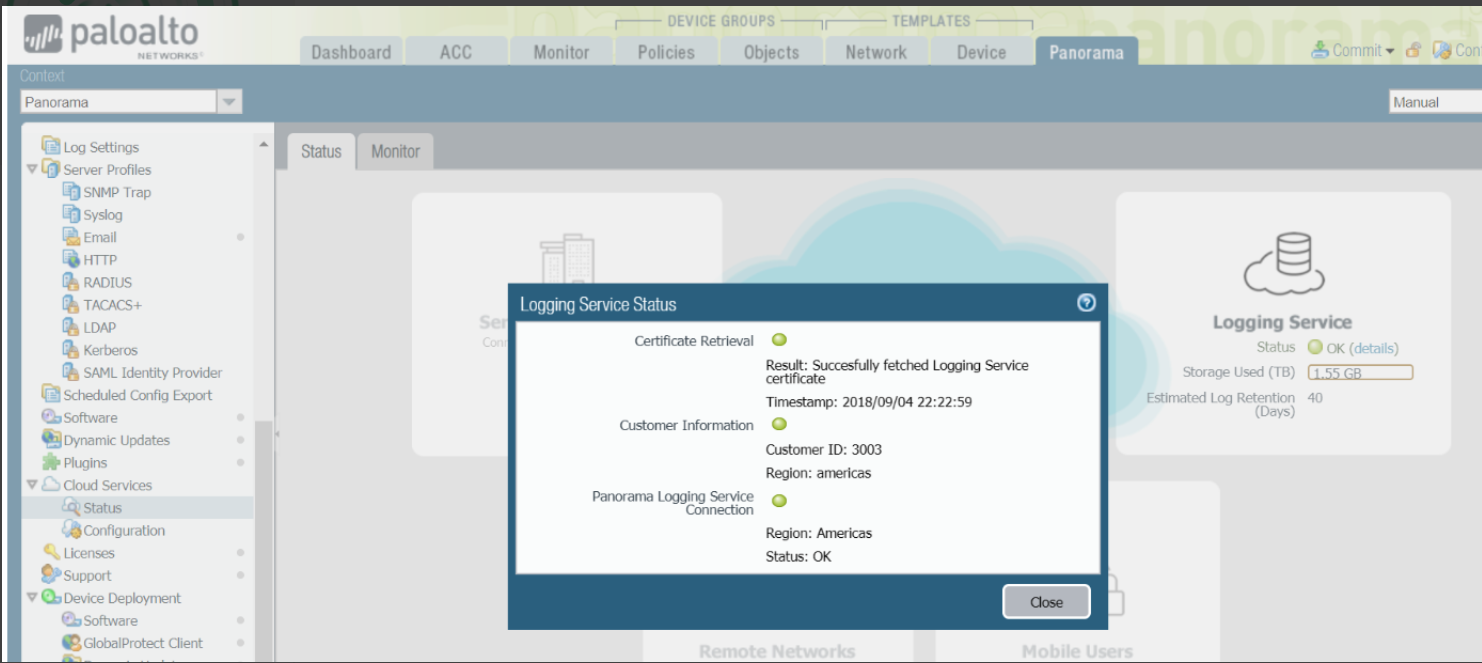
- 现在,如果你去Panorama>Cloud Services >地位。
- 你应该看到几乎所有的单选按钮都是绿色的
.