One-time password (OTP) not working after upgrade of Panorama PAN-OS and Cloud Plug-in
21550
Created On 01/11/23 19:21 PM - Last Modified 08/17/23 06:36 AM
Symptom
-
Trying to connect Panorama to CDL after upgrading it to PAN-OS 10.1.8 but getting Error: " Failed to verify the account. Failed to complete feature/license checks.”
Environment
- VM-Panorama
- Panorama Cloud Plug-in 3.1.2
Cause
This happens when Panorama cannot replace its old Certificate with the new Certificate. That time it is mandatory to delete the old certificate manually.
As we did below:
Panorama > request plugins cloud_services panorama-certificate delete
Resolution
- From the Panorama CLI follow these steps and commands
- Delete the licence keys on the panorama:
> delete license key *key
[ You may also delete ONLY the Cortex Data Lake license key, i.e., Logging Service, instead of ALL licenses.]
- Delete the certificate:
>request plugins cloud_services panorama-certificate delete
- Verify the CSP endpoints:
> debug plugins cloud_services show-csp-endpoint
> debug plugins cloud_services show-csp-trusted-endpoint
- If they are not matching the "api.paloaltonetworks.com" and "apitrusted.paloaltonetworks.com" values, run the below Commands to set them with correct values
> debug plugins cloud_services set-csp-endpoint api.paloaltonetworks.com
> debug plugins cloud_services set-csp-trusted-endpoint apitrusted.paloaltonetworks.com
- Fetch the licenses : Retrieve licenses from panorama GUI or from CLI using:
> request plugins cloud_services panorama-certificate fetch debug yes otp xxxxxxxxxxxxxxxxxxxx
- You get OTP from: CSP (support.paloaltonetworks.com) Assets > Cloud Services (mapped to ‘right’ Panorama) > Generate OTP > Copy OTP → Hit Enter]
- You should see "Success" at the end of the CLI output.
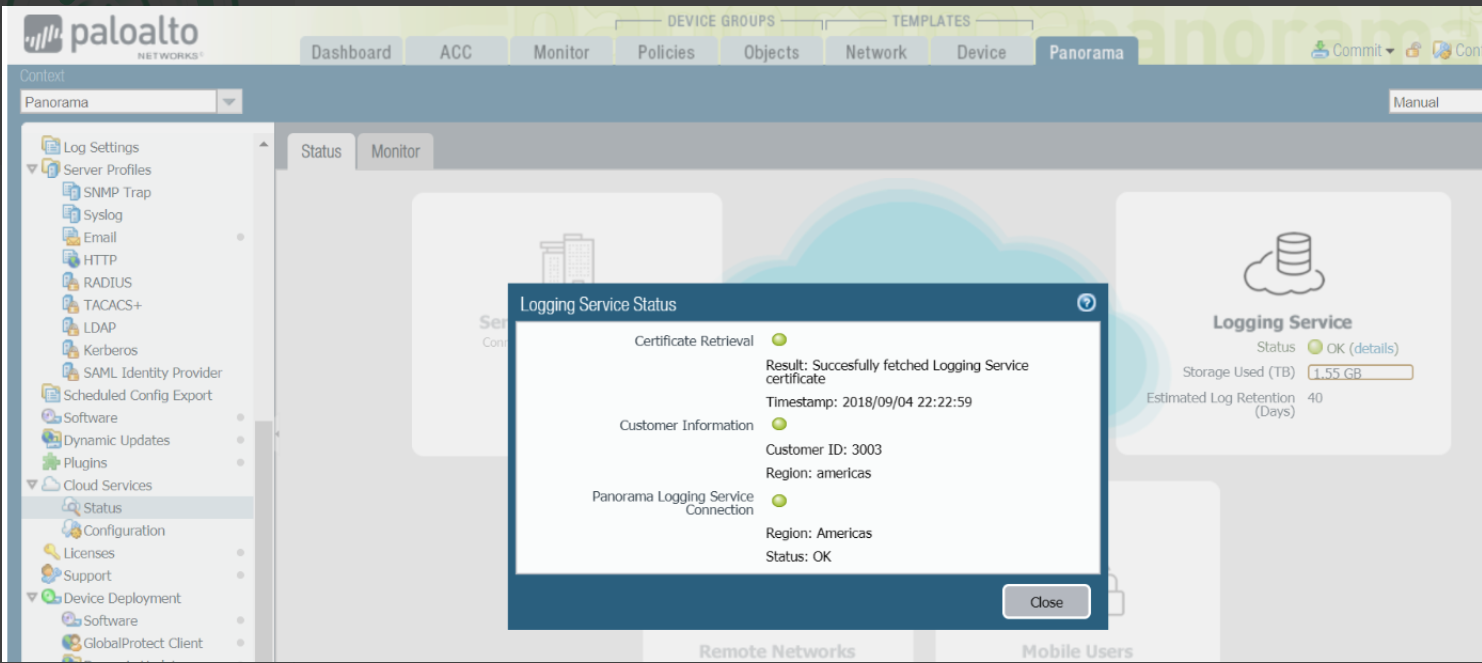
- Now, if you go to Panorama > Cloud Services > Status.
- You should see that almost all radio buttons are green
.