Jumbo Frame: Adjusting MSS On Interfaces With Custom MTU
34865
Created On 09/22/20 03:32 AM - Last Modified 09/22/20 22:05 PM
Symptom
When Jumbo Frame is enabled globally but the interface MTU is specified, the interface inherits its MSS value from the Jumbo MTU after accounting for TCP and IP overhead.
In the illustration below, the port on the firewall is configured with an MTU of 1500 bytes while peering with another system through BGP over that interface.
Notice from the packet capture shown: the firewall is sending a TCP MSS size of 9176 bytes in the initial SYN packet over the interface. This value being taken from the global MTU setting.
GUI: Device > Setup > Session:
GUI: Network > Interfaces > Interface > Advanced > Other Info:
Packet Capture:
Environment
- All version of PAN-OS
- All hardware/VM-series NGFW
- Jumbo Frame is enabled on the system
Cause
When Jumbo Frame is enabled, it applies globally even on interfaces that have a specified MTU. This can lead to network problems.
For example, a BGP peer could send bulk updates (above 1460 bytes) to the firewall since it advertised 'Jumbo' MSS in its TCP SYN packet. Because these type of BGP updates typically have the Do Not Fragment (DF) bit set, the firewall will drop these packets because the packet payload exceeds the maximum segment size the receiving interface can handle/process without fragmentation.
Resolution
- Disable dynamic routing protocols (like BGP) and/or clear all TCP sessions on the device.
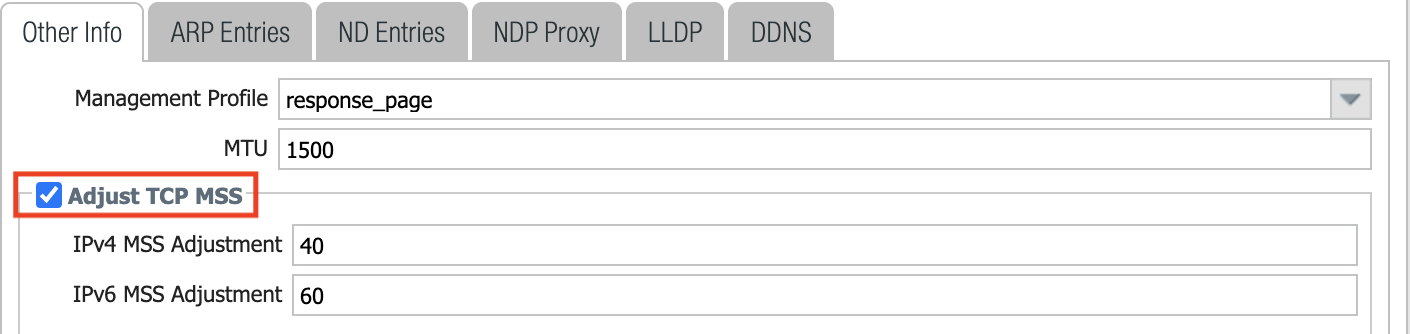
- Adjust TCP MSS at the interface level:
GUI: Network > Interfaces > Interface > Advanced > Other Info:
- Commit
- Re-enable routing protocols
Result:
Additional Information
- We recommend applying these changes during a change window.
- There are very few use-cases where Jumbo Frame is enabled while not being required at the interface level. Hence, if the Jumbo frame is not required at the moment, the recommendation is to disable it. Otherwise, each interface not participating in jumbo frames will have to be manually adjusted.