How to Avoid False Positive Alerts for Policies with Global APIs in Prisma Cloud?
6888
Created On 12/05/21 05:11 AM - Last Modified 01/11/22 15:27 PM
Objective
- How to Avoid Alert False Positives for Policies with Global APIs in Prisma Cloud?
Environment
- Prisma Cloud
Procedure
- Aggregate policies are policies which have count() or group by() in their RQL query.
- Such policies with Global APIs are applied to all regions.
- Now, with region-specific Alert Rules applied to such Policies, discrepancies might arise between RQL query and config-scanner.
- This might result in unexpected Alerts or False Positives because Alert Rules were created with filtered regions while aggregate policies are still applicable to all regions.
- To avoid the occurrence of such False Positives, it is advised to attach Alert Rules, that are applied to all regions, with such Policies.
Example:
- Let us consider the Aggregate Policy "AWS CloudTrail is not enabled on the account" having the following RQL query (contains count()).
config from cloud.resource where cloud.type = 'aws' and api.name='aws-cloudtrail-describe-trails' as X; count(X) less than 1
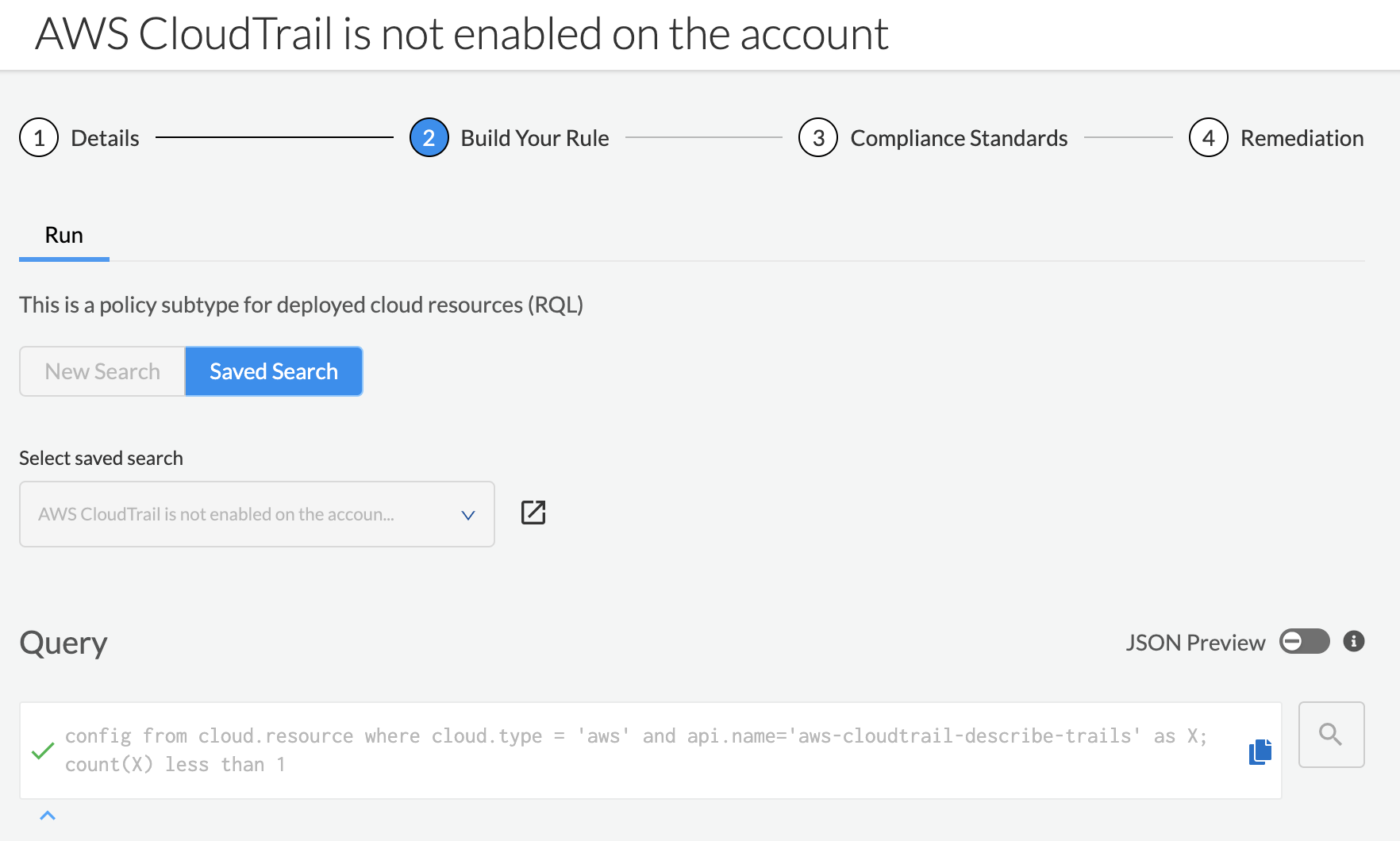
- API 'aws-cloudtrail-describe-trails' is Global regardless of the region configuration in the Alert Rule.
- As such, aggregate policies like ‘AWS CloudTrail is not enabled on the account’ are applied to all regions.
- Associating a region-specific Alert Rule (2 regions selected in following Alert Rule) with this Policy might result in Alert False Positives.
- Hence, to avoid this, select all regions in the Alert Rule attached to this Policy (by default all regions are selected).