How to change the default account on the customer support portal
11134
Created On 12/31/19 21:23 PM - Last Modified 03/11/24 11:32 AM
Objective
Customers are able to change the default account by logging in to the Customer Support Portal.
Procedure
1. Login to the Customer Support Portal (CSP). You will see the details of your current Default Account
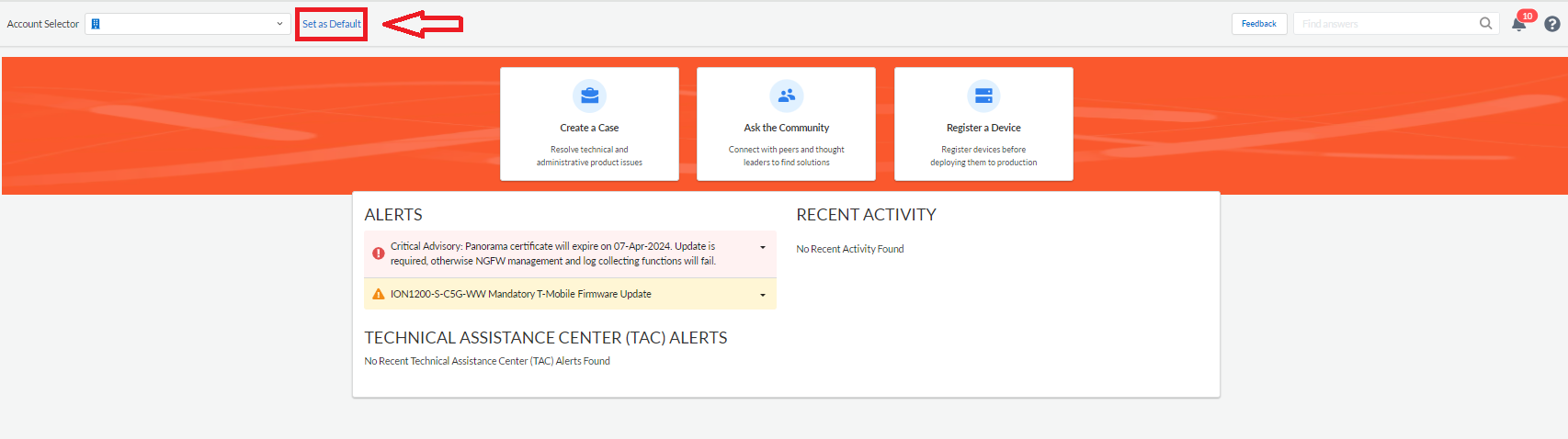
3. Go to the Account Selector tool (top left corner of your CSP Homepage) and select the account that you would like to make your new Default Account from the drop down list
3. Go to the Account Selector tool (top left corner of your CSP Homepage) and select the account that you would like to make your new Default Account from the drop down list
4. Click the Set as Default hyperlink