How to Prevent an Unexpected HA Path-Monitoring Failure
34080
Created On 09/27/18 06:54 AM - Last Modified 06/01/23 08:55 AM
Resolution
Symptom
HA path-monitoring fails without any Palo Alto Networks related problem.
Cause
This can be caused by temporary traffic surges.
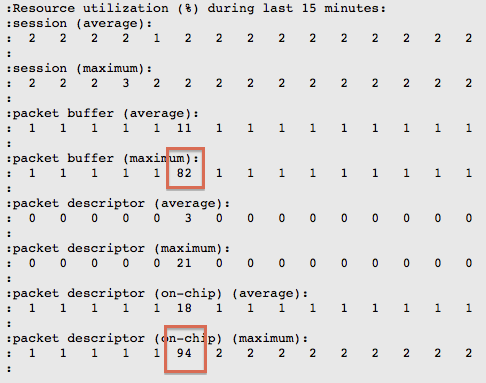
There are three methods to identify the traffic surge on a the Palo Alto Networks firewall:
- From the dp-monitor log, as shown in the example below:
- From Syslog:
high ha path-mo 0 HA Group 1: Path group 'path_group_name' destination IP 'x.x.x.x' is down - From HA-agent logs:
Group 1: Path 'path_group_name' destination ip 'x.x.x.x' state is going from up to down
Workaround
Beginning with PAN-OS 5.0, it is possible to configure the HA path-monitoring interval timer. By increasing the timer, a temporary traffic surge will not cause a path-monitoring outage.
owner: rvanderveken