How to Move a Policy Before or After Another Policy in PAN-OS
52002
Created On 09/26/18 13:55 PM - Last Modified 06/14/23 06:00 AM
Resolution
Steps
The following steps describe how to move a policy before or after another policy in PAN-OS.
Go to the Policies tab and select a policy type (Security, NAT) from the left-hand navigation pane.
Apply one of the following methods below to move the policy.
Using drag and drop
- Click on a rule and drag it to the desired position
- Commit the PAN-OS configuration change(s) for the change to take effect.
Using the move buttons
- Select a rule
- Use the move buttons at the bottom of the page to move the rule

- Commit the PAN-OS configuration change(s) for the change to take effect.
Using the drop down menu
- Click the drop down arrow next to the name of the rule
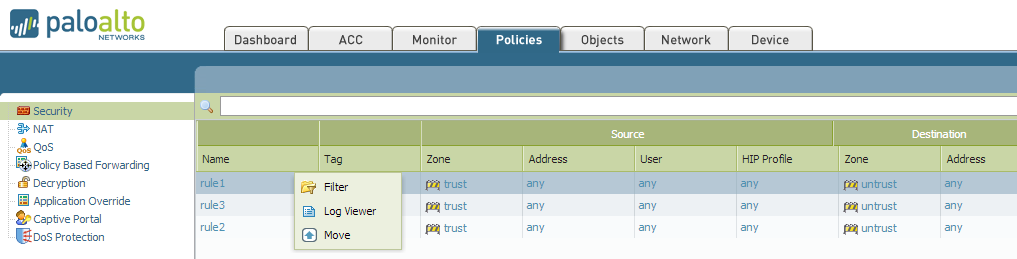
- Select the name of the rule that needs moved
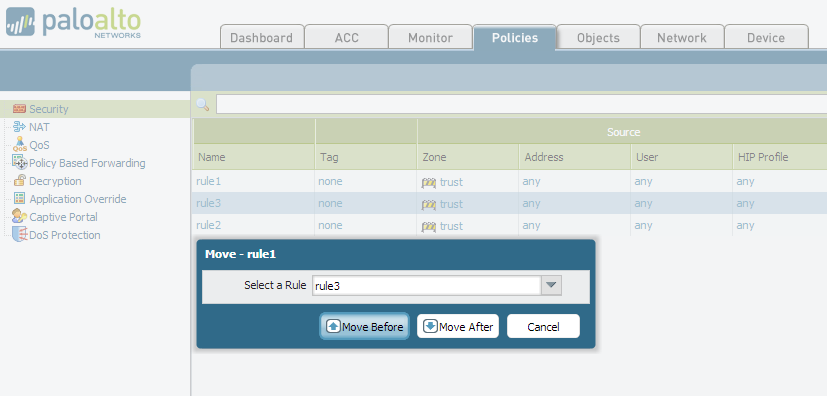
- Select the name of a rule. The previously selected rule will be moved before or after this rule
- Click Move Before or Move After, as shown in the example below:
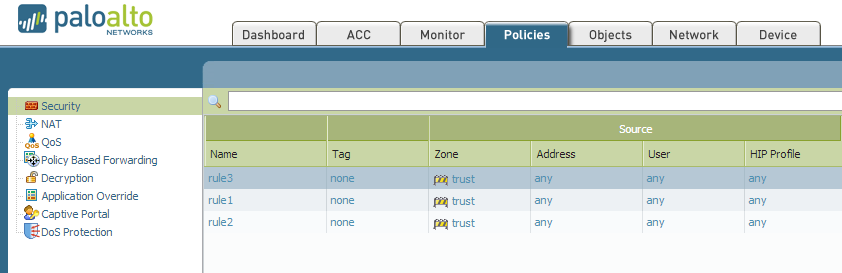
- Commit the PAN-OS configuration change(s) for the change to take effect.
owner: jdavis