Manually Uploaded Software in Panorama Does Not Appear Under Software Page
Resolution
Issue
When a software image is manually uploaded to the Panorama device, it does not appear under the Device Deployment > Software page on the GUI. This applies in an environment where the Panorama device intentionally cannot access the updates server.
Note: This document applies to Panorama running Panorama OS 5.1.
Details
For example, the PAN-OS VM 5.0.3 image has been manually uploaded into Panorama. The process completes successfully and a pop-up message confirms that it has been saved.
However, the web interface still shows the option for the image as "Download", instead of the expected "Install":
Note: If the device is never connected to internet then we would see in the below image blank as the device would not have reached to update server to get the software images in this page.
Resolution
To verify that the file was uploaded to the device, click on "Install from file" at the bottom of the software deployment page. The 'File Name' drop-down will show the manually uploaded files.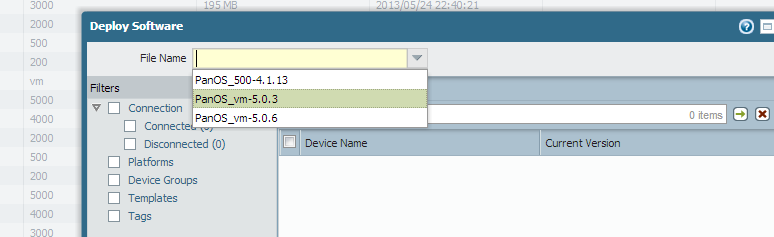
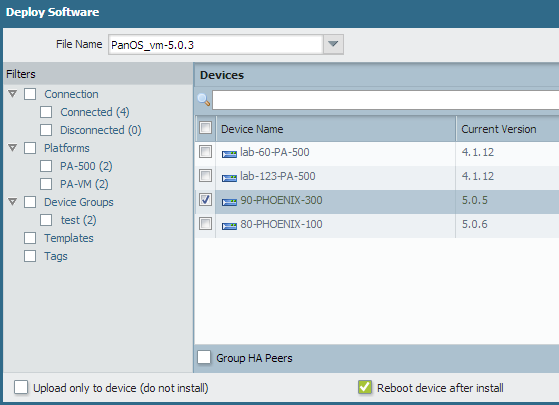
When a particular version is selected, the connected devices will appear. The selection of devices can then be made to received the image push.
There are 2 options for the push, as shown at the bottom of the screenshot below:
- Upload to the firewall only
- Upload, install, and reboot
owner: ssunku