How to Configure URL Password Override
33062
Created On 09/26/18 13:52 PM - Last Modified 07/15/25 14:03 PM
Environment
Resolution
To configure URL password override:
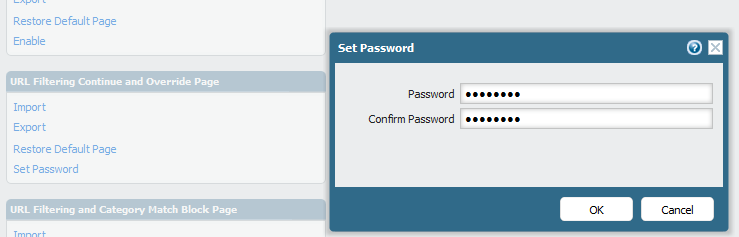
- Configure the password under Device > Response pages > URL Filtering Continue and override page > Set Password.
- When the password is set, change the URL category to action 'Override.' For example, we have chosen the category 'games.'
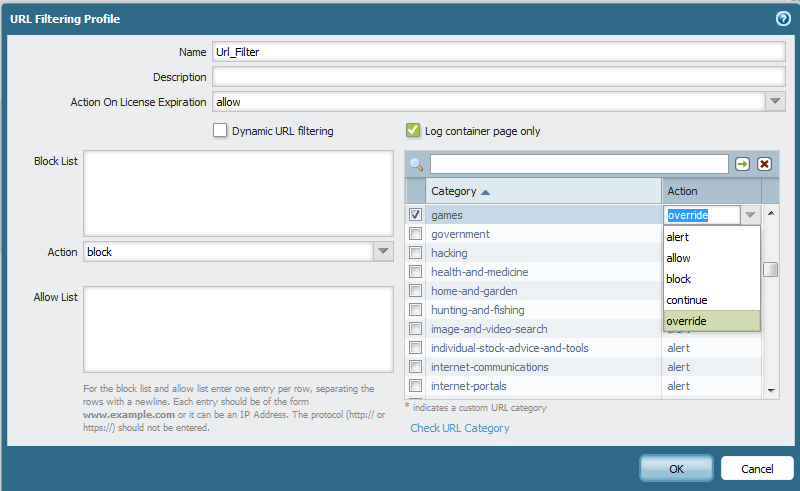
After changing the category, add that particular URL filtering profile to the relevant security rule.
When the traffic hits that website categorized under 'games', the end user will be asked for the override password.
owner: kadak
Additional Information
See also
Configure URL Admin Override
PANOS 9.0 behavior change