Symptom
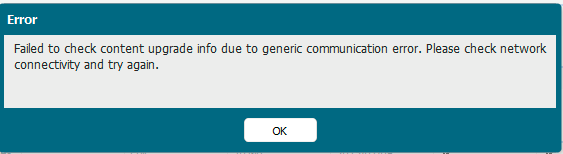
Clicking the Check Now button under Device > Dynamic Updates displays the following error:
"Failed to check content upgrade info due to generic communication error. Please check network connectivity and try again."
Reviewing the ms.log shows an error message, “ERROR: cannot verify updates.paloaltonetworks.com’s certificate, issued by ‘/C=US/ST=Arizona/L=Scottsdale/O=GoDaddy.com, Inc./OU=http://certs.godaddy.com/repository//CN=Go Daddy Secure Certificate Authority - G2’: Self-signed certificate encountered.”

Cause
This occurs because Go Daddy’s intermediate and root certificate needs to be imported on the PA.
Resolution
Download and import the intermediate and root certificate from Go Daddy.
To download the certificates go to https://certs.godaddy.com/repository
- Download “GoDaddy Secure Server Certificate (Intermediate Certificate) - G2”
- Download “GoDaddy Class 2 Certification Authority Root Certificate - G2”
Import the GoDaddy certificates on the Palo Alto firewall.
- From the WebGUI, go to Device > Certificate Management > Certificates > Device Certificates. Click Import. Type a name for the certificate and click browse and find the .cer file.

2) Repeat step one to import the second certificate.
3) After importing the GoDaddy certs, click the root certificate in the Device Certificate list. Click Trusted Root CA and click OK.
Verify Connectivity
1) Clicking the Check Now button displays the current dynamic updates on firewall with no error.
owner: jmoses