Issue
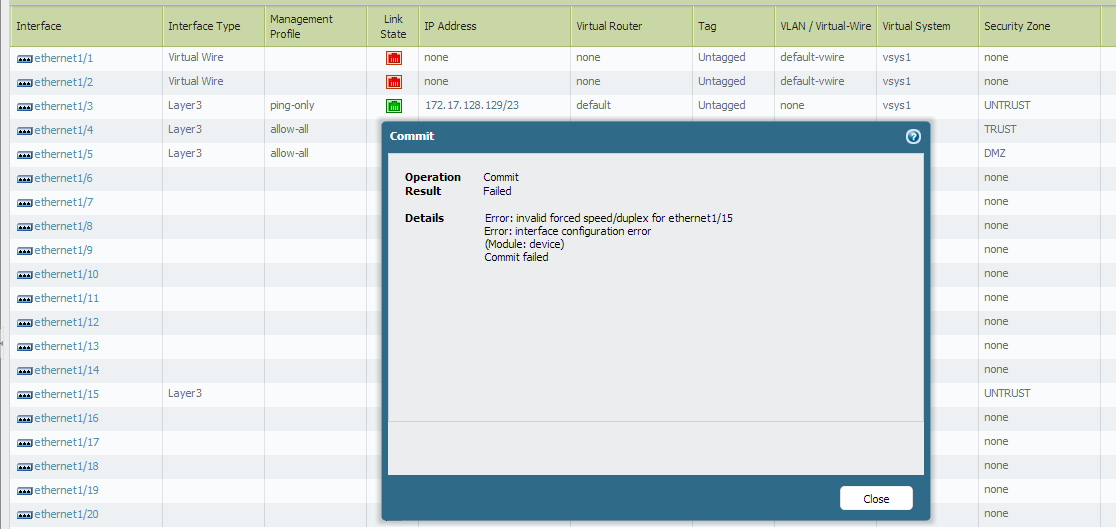
When a value (other than auto) is selected for the Link Speed and Link Duplex settings on an interface, the commit operation fails with the following message:
Details:Error: invalid forced speed/duplex for ethernet1/x
Error: interface configuration error
(Module: device)
Commit failed
Cause
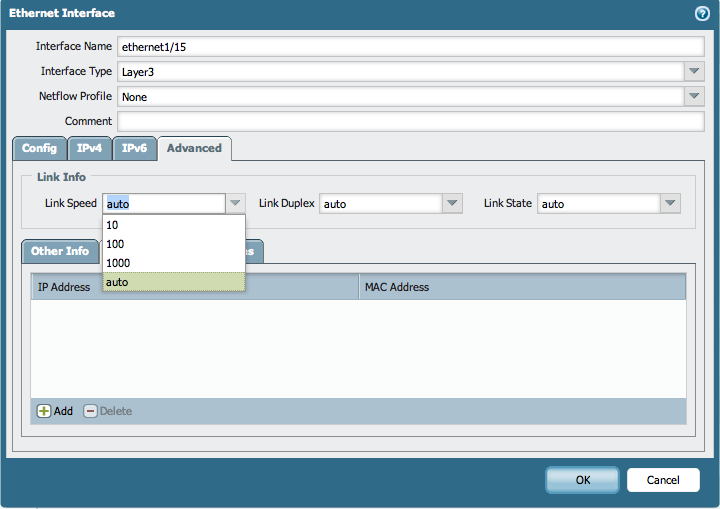
Each interface on the Palo Alto Networks devices has its own link and speed capabilities. The PAN-OS UI will show the same selection values for all interfaces. However, selecting a value that is incompatible with an interface will lead to a commit failure.
Resolution
Check the interface speed and duplex capabilities for the interfaces of a Palo Alto Networks device with the following CLI command:
> show system state | match capability
The following is an example output for a PA-5050 firewall:
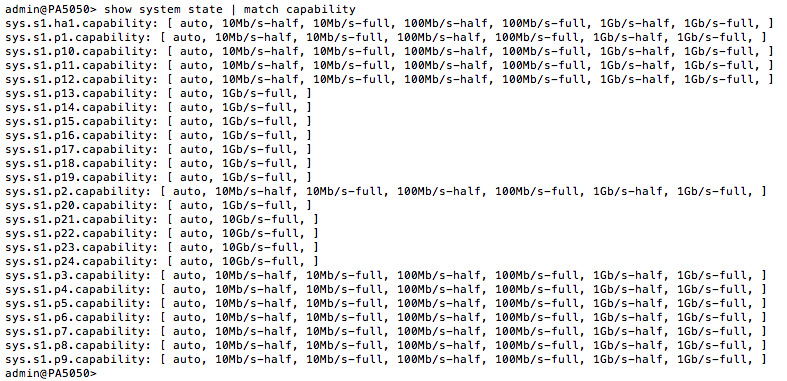
As seen above, the interface 1/15 for the PA-5050 supports the auto and 1Gb/s selections for Link Speed. A commit failure will occur if, for example, the Link Speed for that interface on a PA-5050 firewall is set to 100 Mb/s.
owner: akawimandan