Overview
This document describes the Auto Probe feature for a DHCP server configured in auto mode and its impact on a network with multiple DHCP servers.
Details
Palo Alto Networks firewalls perform an Auto-Probe/Auto-Discovery when a DHCP server is configured in auto mode. The auto-probing detects existing DHCP servers in the same subnet. When another DHCP server is detected in the subnet, the firewall shuts down DHCP services and the other DHCP gains or retains control.
Note: Auto-Probing cannot be turned-off and should not be mistaken for the "probe-ip" feature.
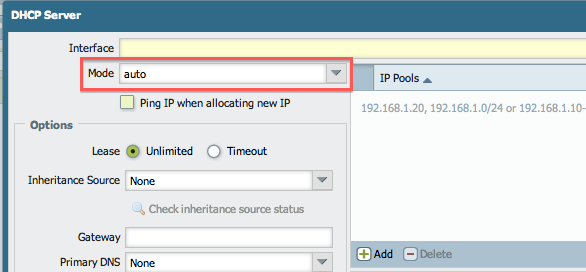
Mode set to "auto"
When the DHCP server is set to auto mode on the Palo Alto Networks firewall, the server stops working with the discovery of another DHCP server and the following message appears in the system log :
DHCP server auto-probe finished, turn off DHCP server since received offer from server 255.255.255.255 interface <DHCP Server Interface>
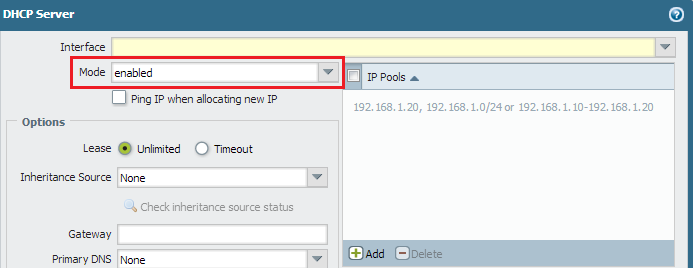
Mode set to "enabled"
When the DHCP server is set to enabled mode, the DHCP server on the firewall does not turn off if another DHCP server is discovered in the network for the same subnet. Both servers will then offer DHCP services.
Note: Sometimes, a rogue DHCP server may be running on the network. If the DHCP server on the firewall is set to auto mode, it shuts down upon discovery of the rogue server.
From the CLI
Set to auto
> configure
# set network dhcp interface ethernet1/<> server mode auto
# commit
Set to enabled
> configure
# set network dhcp interface ethernet1/<> server mode enabled
# commit
owner: akawimandan