How to create a custom application for ALG apps
32986
Created On 09/25/18 19:30 PM - Last Modified 06/08/23 08:45 AM
Symptom
Resolution
Change a Custom Application settings following the steps below:
1. From Objects > Applications, click your custom application name in the middle section for changing the settings:
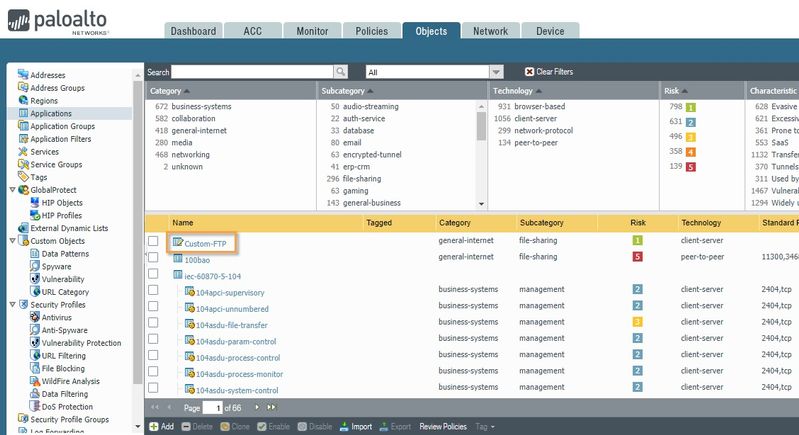 Click your custom application.
2. Under the Configuration tab, click the checkbox Continue scanning for other Applications:
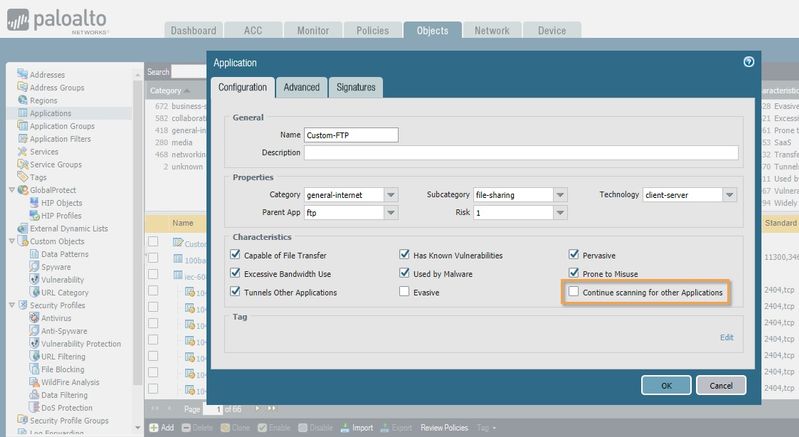 Click the checkbox, "Continue scanning for other Applications."
3. Click OK to close the custom application window and commit to apply the settings.
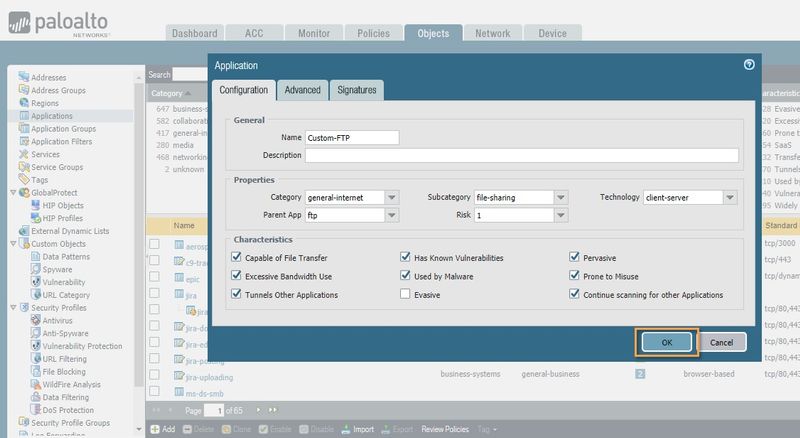 Close the custom application window.
See also
Getting Started: Custom applications and app override
https://live.paloaltonetworks.com/t5/Featured-Articles/Getting-Started-Custom-applications-and-app-override/ta-p/71635