Our Discussion of the Week is going to be about the show command that member 'slv' recently posted:
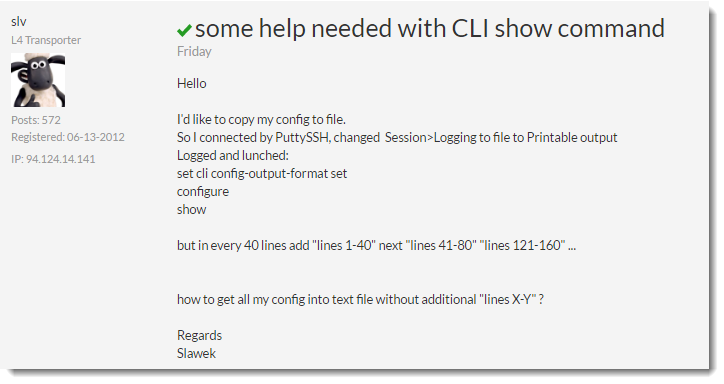
Here is a link to the discussion here:
https://live.paloaltonetworks.com/t5/General-Topics/some-help-needed-with-CLI-show-command/m-p/116891
Our member, slv, wanted to know how to get CLI output without the 'lines xx-xx' showing up in the output.
This question is answered correctly by community member 'bmorris1,' but it can be frustrating if you do not know how to rid your output of the unwanted info. Hence the reason for this Discussion of the Week topic, so we can all know about this nice command.
While working with the CLI, there comes a time where we do not want anything other than the true output of the session, but as a default, the screen will insert page breaks, showing exactly what lines are being displayed, about 40 lines at a time (depending on your session size).
While the page breaks are handy when you are reading the output and want to go a page at a time, there are times when we do not want that, especially when trying to export a config or showing a complete output, then searching within that for somthing specific "> show config running | match <text>"
Here is what it will look like when displaying the config with the show command after getting into Configure mode.
Prior lines removed to show you the breaks:
update-server updates.paloaltonetworks.com;
locale en;
dns-setting {
lines 1-39
pan-url-db {
cloud-static-list 40.114.146.21;
}
}
lines 40-78
The command to type in to remove those line breaks is:
> set cli pager off
This command needs to be entered at the normal CLI prompt '>' and not the Configure '#' prompt.
If you type 'set cli pager off' at the Configure prompt #, you will get an error, 'invalid syntax.'
If the command is accepted, then you will not get anything back after typing it. You just have to type in a command like '> show config running' in order to see if the line breaks show up or not.
If you need the breaks put back in, then the following command will restore them:
> set cli pager on
I hope this information helps someone learn more.
As always, we welcome all feedback and comments.
Please let us know you like articles like this with an upvote or mark it as helpful.
Thanks for reading!
Joe Delio