Have you ever created an object in the wrong device group or vsys, or needed to copy a policy you created in one device group or vsys to one or multiple other device groups or vsys? Have you ever created a shared object that needed to be vsys of device group specific?
If you're working with large and complex policies with many different device groups and several vsys, there's a good chance it has happened to you and it would have been a cumbersome task if you performed the corrections manually.
Luckily, a new feature you may not have noticed yet was introduced and it will come in handy when manipulating policies or objects across several virtual boundaries.
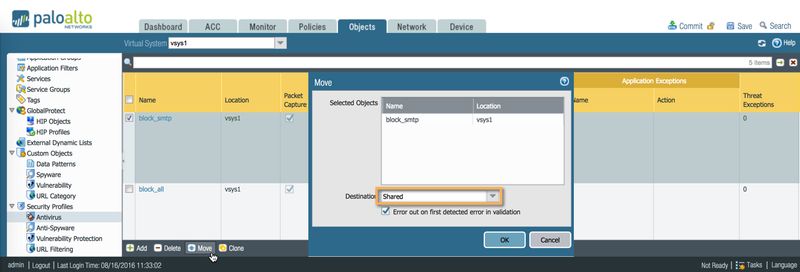
Move a policy or an object
On Panorama, you can highlight the policies or object you would like to move to a different device group.
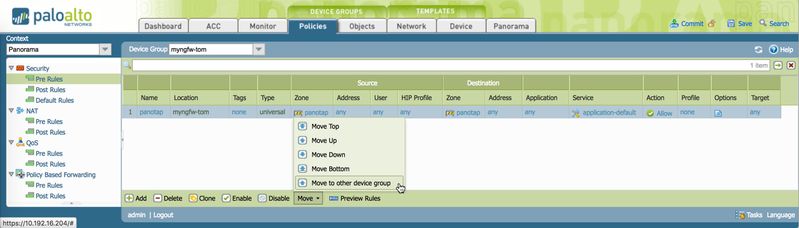
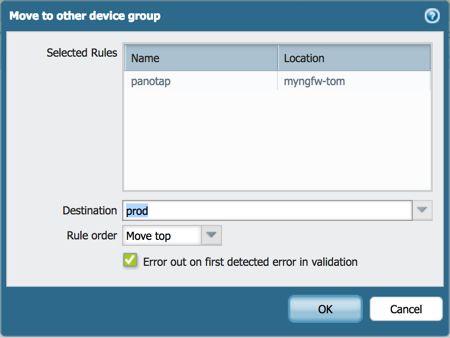
On a firewall, you can highlight and move to a different vsys:
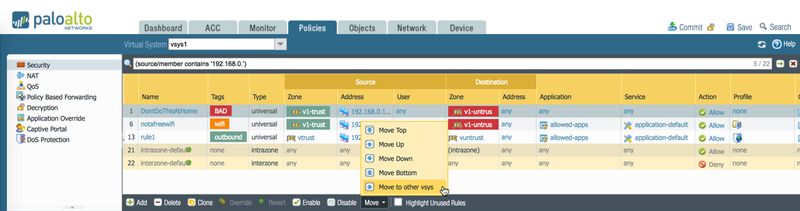
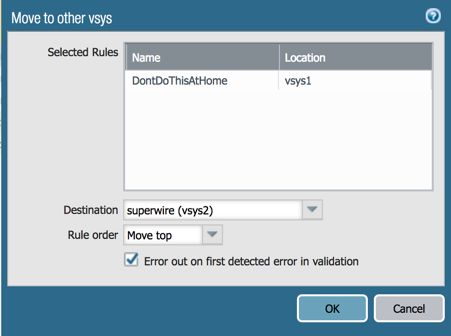
Copy/Clone a policy or object
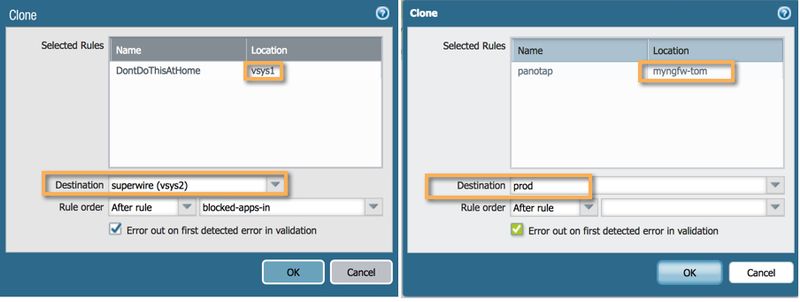
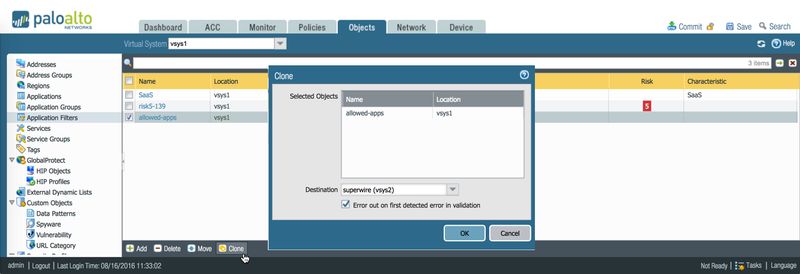
The same dialog window will appear if you click the 'Clone' button. Where you would normally select to copy the rule within the same policy, you can also choose to clone it to a different device group or vsys:
Other objects
The above actions can also be applied to any object located in the Objects tab including policy objects, custom objects and security profiles.
All of the objects can either be moved from one vsys or device group to another, they can be cloned across multiple vsys or device groups, or changed to a shared object or to one assigned to a single instance.
Caveat
When moving an object from one vsys to another, the object may contain objects that are bound to the originating vsys only. When the move or clone operation is performed, a reference check will be performed by the system to verify if all nested objects are available on the targetand and if there is no naming conflict with an existing object on the target. If a duplicate name exists or a nested object is not available, an error message will appear.
To prevent this error, objects nested within an object you need to copy or move need to be copied or moved first.
An example of such situation is an address group that needs to be cloned from vsys1 to vsys2.
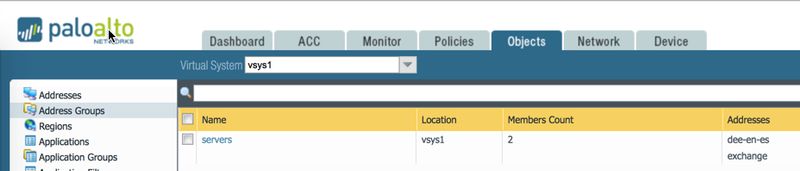
However, one of the contained objects is also located in vsys1.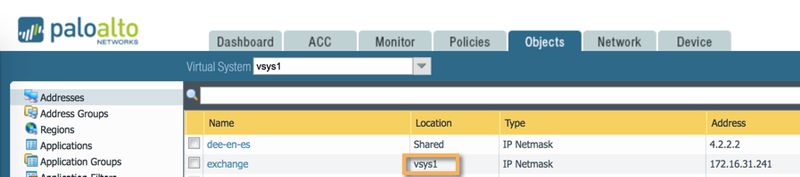
If you try to clone the object 'servers' to vsys2, an error message will appear because object 'exchange' does not exist on vsys2.
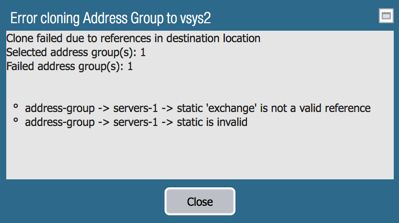
Therefore, the nested object 'exchange' will need to be copied or made available (by making it a shared object) on the target vsys.
Hopefully this information will help make your job of creating objects and managing your policies a little bit easier!
Tom