How to Create, Log, and Deny a Custom Signature App
22864
Created On 09/25/18 18:01 PM - Last Modified 02/01/25 01:21 AM
Procedure
Details
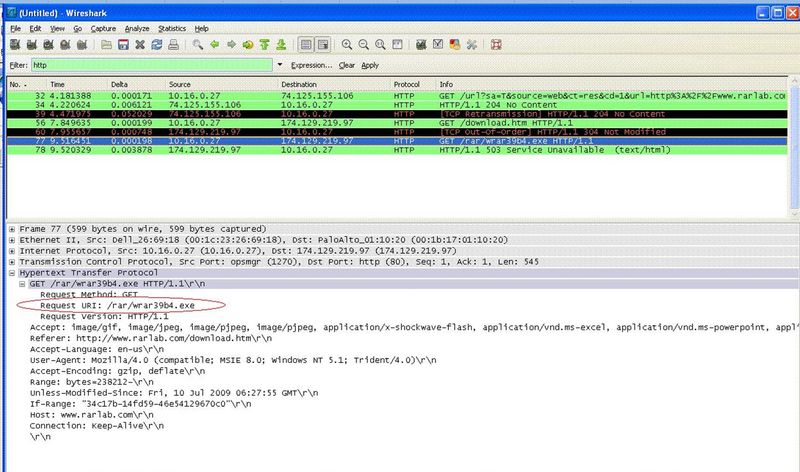
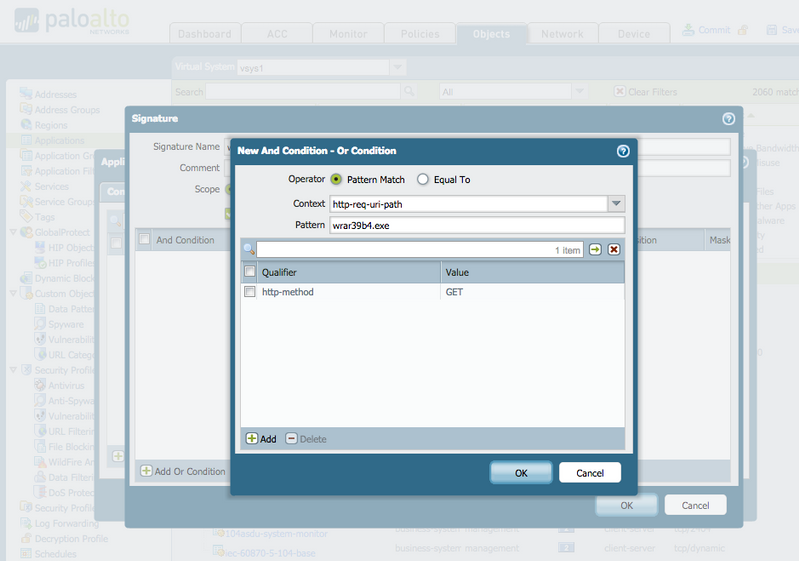
For this example, the rule created blocks downloading the file "wrar39b4.exe"
- Use a packet capture tool to identify a signature for the custom application
- Create custom application in Objects > Application > New
- Define specifics in the custom application, specifically the transport layer (TCP/80) and signature (screenshot for details)
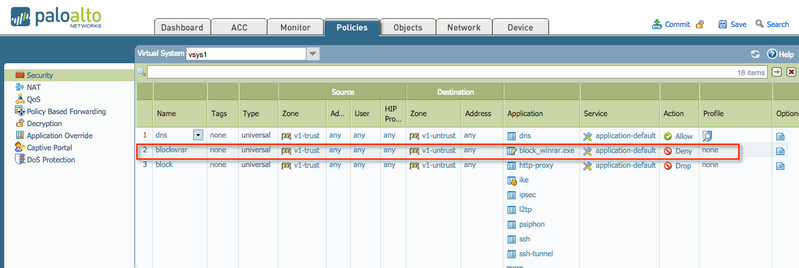
- Create a security policy that denies the custom defined application
- Commit
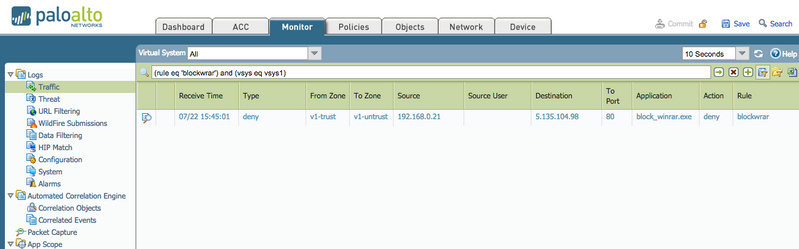
- Review traffic to log to confirm denial for the application
Wireshark Packet Capture
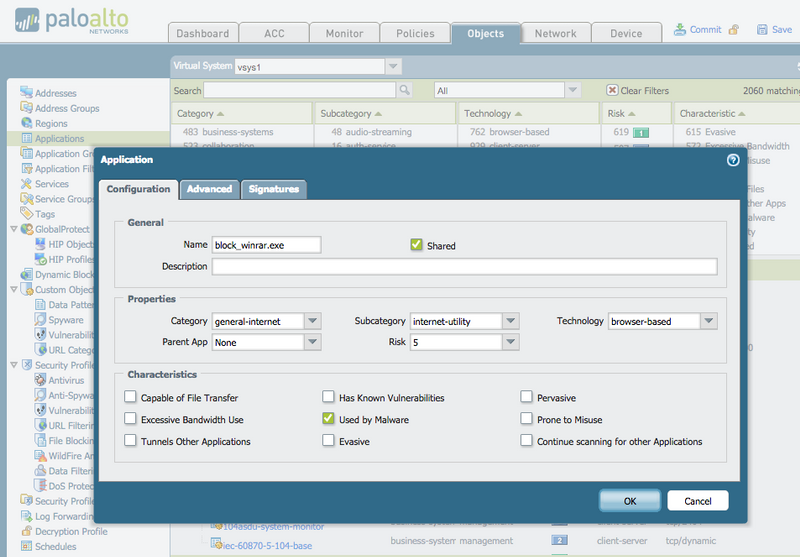
- To create a Custom Application from the WebGUI, go to Objects > Applications > New.
- Give the application a name and a description.
- Edit the properties of the object and assign it an appropriate category, subcategory, technology, risk class and any characteristics that may apply.
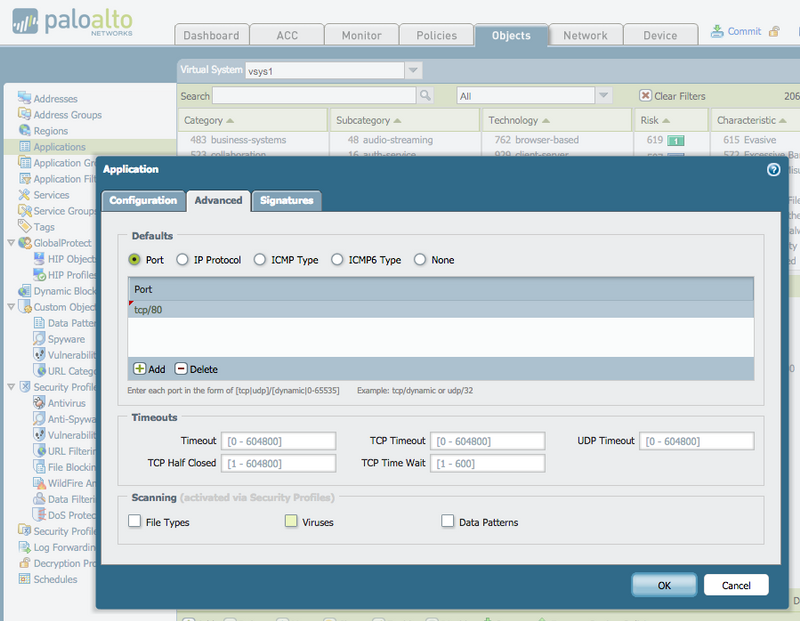
- Choose the correct port (tcp/80 for this example):
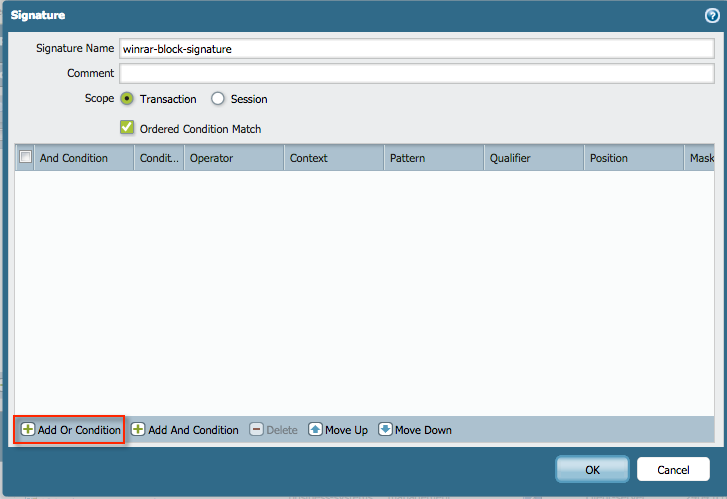
- In the Signatures tab, create a new signature:
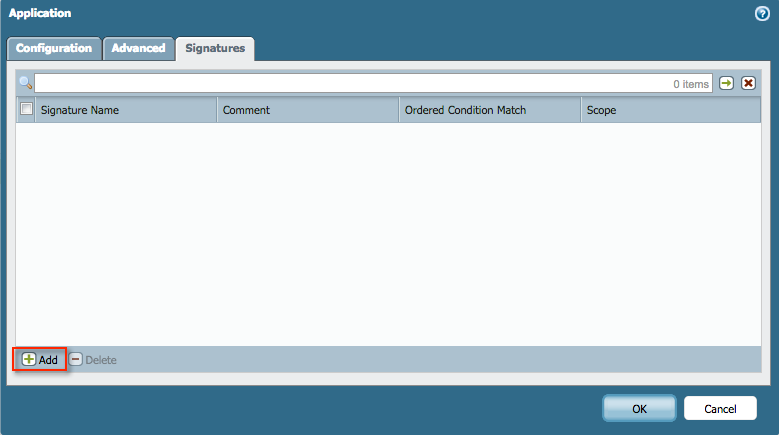
and add an OR condition:
- Define the signature context (http-req-uri-path for this example), with a pattern of "wrar39b4.exe", and a qualifier of "http-method" "GET".
- Create a security rule to block the application.
- Monitor the new rule in the traffic log.
owner: panagent