How to Configure Action Values for 'block-ip' in Reconnaissance Protection
19125
Created On 09/25/18 17:15 PM - Last Modified 01/30/25 00:18 AM
Objective
Overview
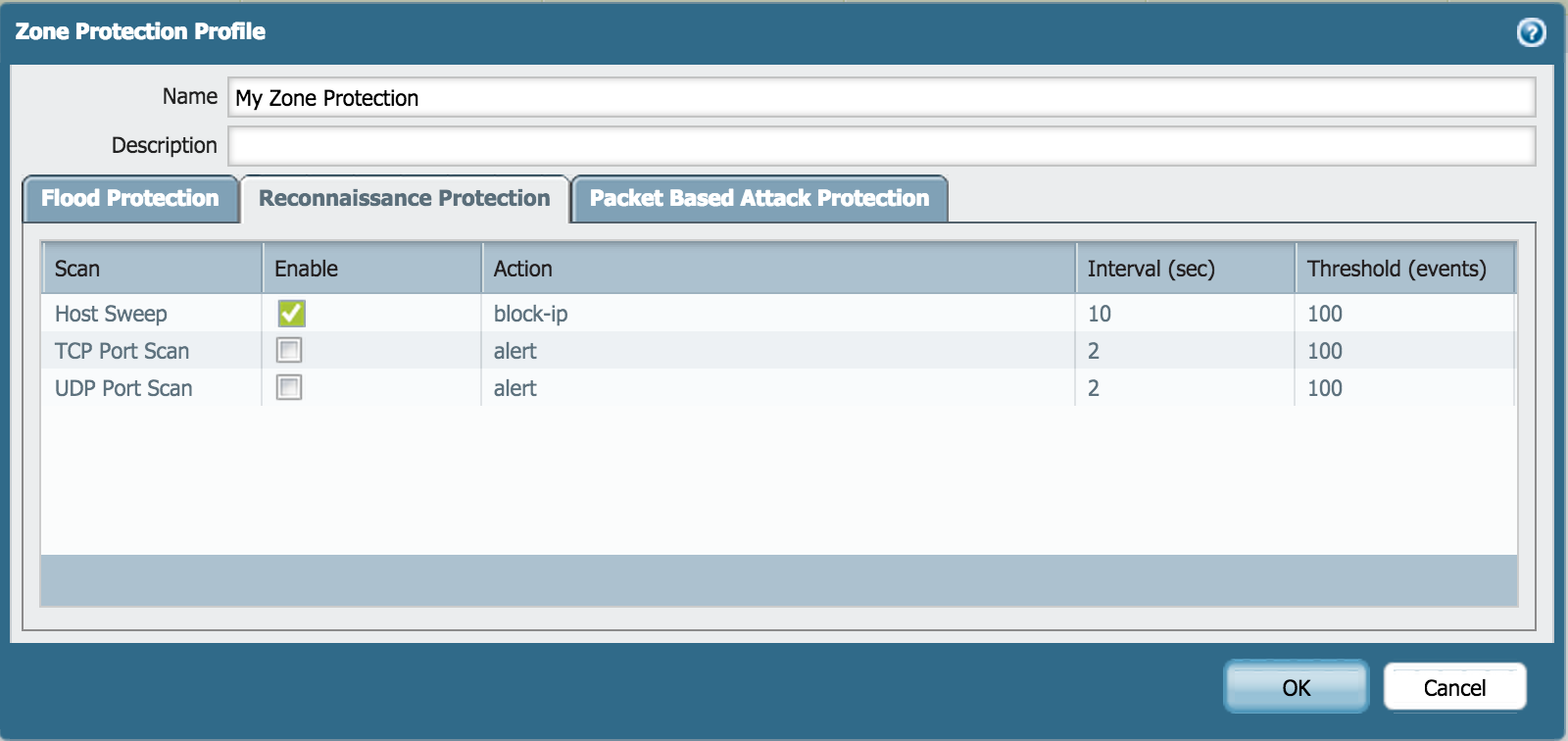
Under Reconnaissance Protection in a Zone Protection Profile, the "Track By" and "Duration" values can be configured for the 'block-ip' action.
Environment
- Palo Alto Firewall
Procedure
Steps
- On the Zone Protection Profile configuration, go to the Reconnaissance Protection tab.
- Click on block-ip under Action.
The "Track By" and "Duration (sec)" fields will be displayed for editing, as shown below: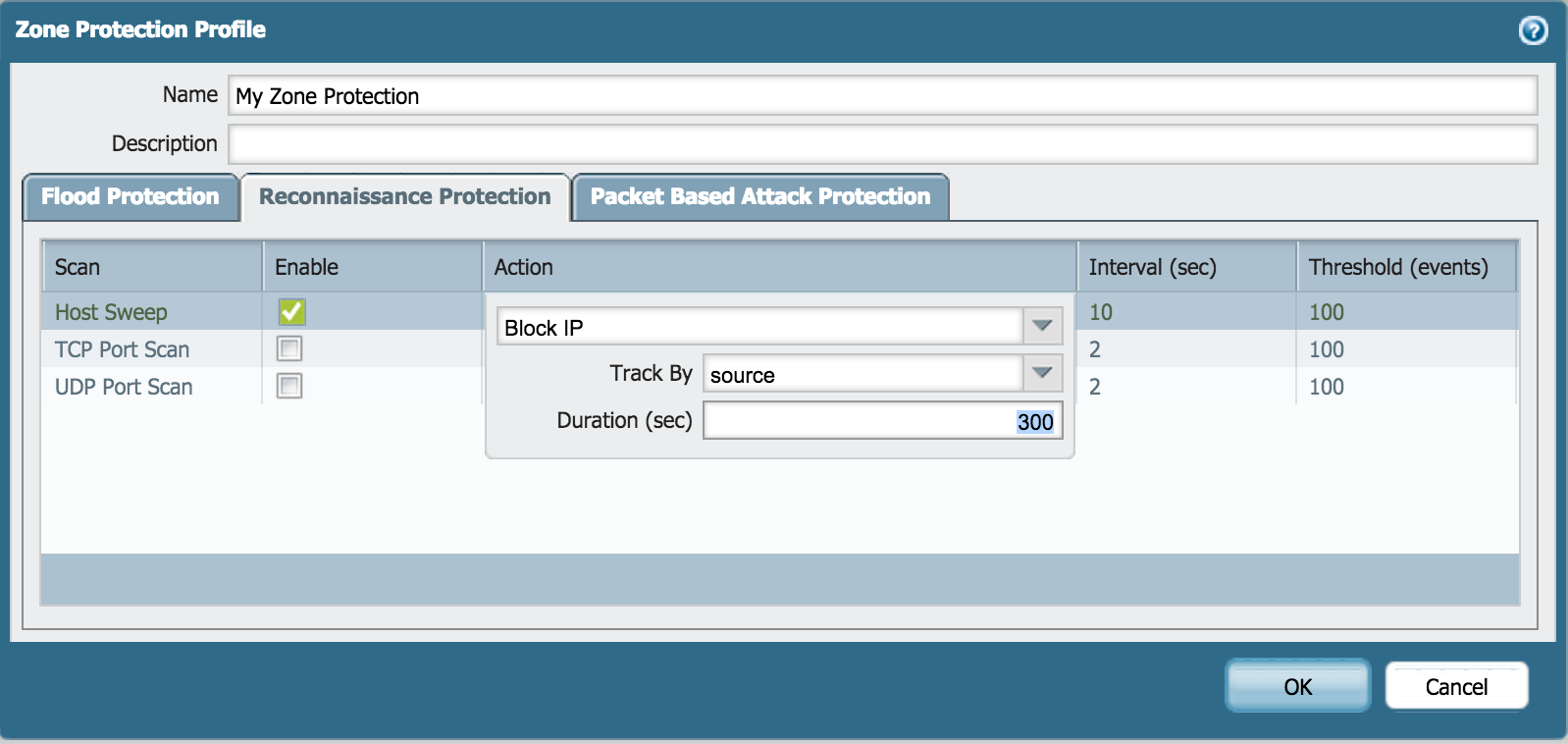
owner: mivaldi